7

Please excuse me if that question is too basic but I couldn't find anything in the documentation or on here.

If you consider the following Graphic I would like to know how to detect which primitive is being clicked,

Graphics[{Disk[#, 0.5]} & /@ {{0, 0}, {1, 0}}]

enter image description here

and for example change the color of the clicked Disk, change its radius or get the coordinates of its center or anything related to its geometry.

I am aware that EventHandler is my friend but as the questions states, I have no clue how to detect which primitive is being clicked (except by using Mouseposition and compare it to the centers).

I am also aware that my question is somehow poorly researched but I feel like I'm blocking on a basic notion.

Öskå
  • 8,587
  • 4
  • 30
  • 49
  • The way to do this is by using EventHandler and Dynamic color on each primitive that you want to track. I don't think you can develop a robust solution (or maybe near impossible) by using just one outer EventHandler and infer which primitive is being clicked. So, in this case, it's just the same as the example under "Scope" in the doc page you linked to. – rm -rf Jan 06 '14 at 19:19
  • 2
    See: http://stackoverflow.com/a/6189751/615464 – Sjoerd C. de Vries Jan 06 '14 at 20:43
  • @rm-rf In this István Zachar is kinda doing it (opening a menu on the clicked node), but I can not find the way to extract the interesting pieces of code. – Öskå Jan 06 '14 at 20:45
  • @SjoerdC.deVries A pity we can't migrate that one – Dr. belisarius Jan 06 '14 at 20:56
  • @belisarius I could cheat and just copy the answer... – Sjoerd C. de Vries Jan 06 '14 at 21:04
  • @SjoerdC.deVries it is interesting regarding the coloring changes indeed. But is it possible to extract primitives values (like radius or center) from a clicked object? – Öskå Jan 06 '14 at 21:05
  • @Öskå Yes, of course. This is easy, since you define an event handler for every object and for each event. – Sjoerd C. de Vries Jan 06 '14 at 21:08
  • @SjoerdC.deVries If you do, ping me and I'll delete mine here – Dr. belisarius Jan 06 '14 at 21:19
  • @belisarius I guess it's OK to have your version here. A straight copy wouldn't add much beyond what's already there. BTW I'm still amazed that it works for 3D too. I wonder how well this scales for tens of objects though. – Sjoerd C. de Vries Jan 06 '14 at 21:27
  • @SjoerdC.deVries Please do just copy the answer. Blocked migrations means that is the only way to gather information here, on our site and under our control. – Mr.Wizard Jan 06 '14 at 21:31
  • @belisarius done. Added some code to test scalability. – Sjoerd C. de Vries Jan 06 '14 at 22:11

1 Answers1

5

EventHandler can be used to catch various mouse events (mouse up, mouse down, mouse clicked, mouse dragged). Use MousePosition to add some intelligence.

Example:

DynamicModule[{col1 = Green, col2 = Blue}, Graphics[
  {
   EventHandler[
    Dynamic[{col1, Disk[]}, 
     ImageSize -> 
      Tiny], {"MouseClicked" :> (col1 = 
        col1 /. {Red -> Green, Green -> Red})}],
   EventHandler[
    Dynamic[{col2, Disk[{1, 1}]}, 
     ImageSize -> 
      Tiny], {"MouseClicked" :> (col2 = 
        col2 /. {Blue -> Yellow, Yellow -> Blue})}]
   }
  ]
 ]
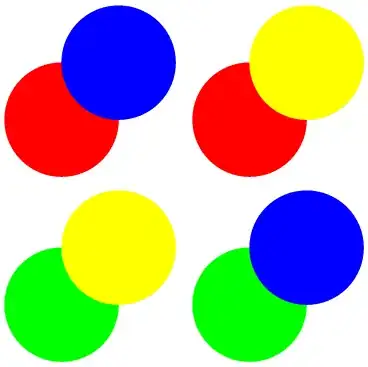
enter image description here

The circles can be clicked independently. An action is defined for each object separately.

Amazingly, this even works for 3D Graphics:

DynamicModule[{col1 = Green, col2 = Blue}, 
 Graphics3D[
  {
   EventHandler[
    Dynamic[{col1, Sphere[]}, 
     ImageSize -> 
      Tiny], {"MouseClicked" :> (col1 = 
        col1 /. {Red -> Green, Green -> Red})}], 
   EventHandler[
    Dynamic[{col2, Sphere[{1, 1, 1}]}, 
     ImageSize -> 
      Tiny], {"MouseClicked" :> (col2 = 
        col2 /. {Blue -> Yellow, Yellow -> Blue})}]
   }
  ]
 ]

enter image description here

Here's some code to test the scalability:

With[{n = 100},
 DynamicModule[{col = RGBColor @@@ RandomReal[{0, 1}, {n, 3}]},
  Graphics[
   Table[
    With[{j = i},
     EventHandler[
      {Dynamic[col[[j]]], Disk[RandomReal[{-10, 10}, {2}]]}, 
      ImageSize -> Tiny,
      {"MouseClicked" :> (col[[j]] = 
          RGBColor @@ RandomReal[{0, 1}, {3}])}
      ]
     ], {i, n}
    ]
   ]
  ]
 ]

Mathematica graphics

This is reasonably responsive. However, try the version with n=1000:

Mathematica graphics

On my PC the color changes only after about three seconds. So, if you need to interact with many objects this may not be the best solution.

Sjoerd C. de Vries
  • 65,815
  • 14
  • 188
  • 323
  • Would you know by any chance how to extract the radius or "physical" information? Your last update is really great & interesting. – Öskå Jan 06 '14 at 22:19
  • @Öskå Since all of the information to draw the object in the EventHandler is to be found there you probably can communicate this by means of the event action, for instance, by having it set a global variable or so. In the example below the action could be extended from (col[[j]] = RGBColor @@ RandomReal[{0, 1}, {3}]) to (clickedColor=col[[j]] = RGBColor @@ RandomReal[{0, 1}, {3}]) – Sjoerd C. de Vries Jan 06 '14 at 22:44