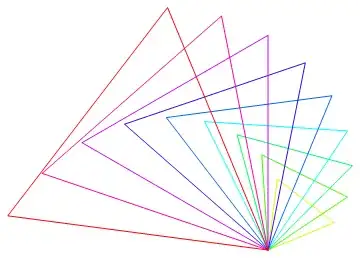
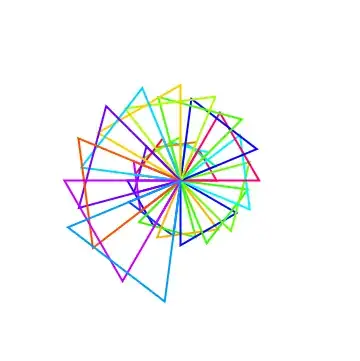
I want to rotate iteratively a triangle about the same point, increasing for each iteration the length of its side in the same proportion and change the color of its sides.
I came up with the solution below:
triangle[x_] :=
Line[ {{0, 0}, {1 + x, 0}, {(1 + x)/2, (Sqrt[3] (1 + x)/2)}, {0, 0}}]
randomcolor[] := Apply[RGBColor, RandomReal[1, {3}]]
Show[Array[Graphics[Rotate[{Thick, randomcolor[], triangle[#]}, # (Pi/5), {0,
  0}]] &, 3]]       (* a simple output *)
Show[Array[Graphics[Rotate[{Thick, randomcolor[], triangle[#]}, # (Pi/9), {0,
  0}]] &, 180]]   (* more elaborated *)
There are certainly other and better ways to achieve this result. However my first attempt for my solution was to use NestList which I felt to be more suitable but could not proceed further than this line:
rot[gr_] := Rotate[gr, Pi/16, {0, 0}]
Graphics[{NestList[rot, triangle[#], #]}] & [2]
The same figure is repeated which is as expected there but is there any way at the start of each iteration to re-evaluate the value of the function triangle[#] with the current value of the Nestlist iterator?