I'm a little embarrassed asking such a simple question, but it's a problem I'm having since a long time. I want to e.g. have a plot beside some text. Now, I want that the top line of the plot and the top line of the text are at the same hight. I can't get this to work. When I use Alignment -> Top the text is always aligned at the middle and I don't know why. This sounds all very simple, so any help is appreciated. E.g.
Row[{ListPlot[{1, 2, 1, 3}, Joined -> True, Frame -> True,ImageSize -> 400], " ", Framed@Grid[{{"test"}, {"test2"}}]}, Alignment -> Top]
The result is>
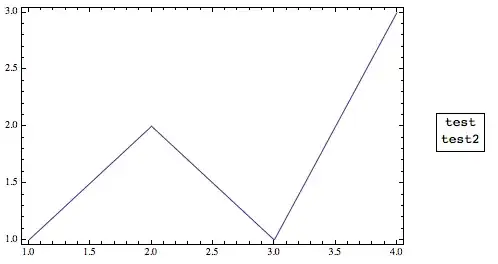
So top line of plot and of text not at the same height.


Grid[{{...}},Alignment->{Center,Top}]. p.s.Spaceris neater than" ". – Kuba Jan 16 '14 at 20:44Grid[{{...},{...}}]. It's not what I meant, the answer of PatoCorillo is. – Kuba Jan 16 '14 at 21:06