6

I am trying to generate a honeycomb structure. With the help of this MMA.SE question & this website, I got

hexgon = Polygon[
  N@Transpose[Through[{Re, Im}[Exp[2 Pi I Range[6]/6]]]]];


points[x_, y_] := 
  Flatten[Table[{{3 m, Sqrt[3] n}, {3 m + 3/2, 
      Sqrt[3] n + Sqrt[3]/2}}, {m, 0, x}, {n, 0, y}], 2];

Graphics[Translate[
  Rotate[{RGBColor[RandomReal[], RandomReal[], RandomReal[]], 
    hexgon}, \[Pi]/6], ({#[[2]], #[[1]]} &) /@ points[1, 4]]]
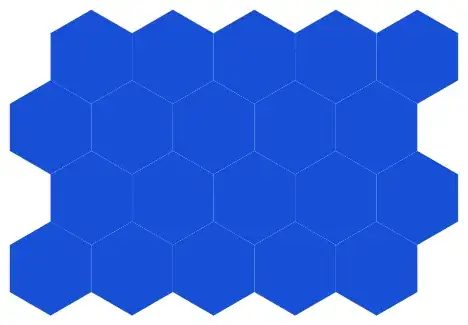
Honeycomb

How do I fill every hexagon with different color?

user12609
  • 349
  • 1
  • 7

1 Answers1

9

Translate can translate a single graphics primitive by certain offsets, but it's not really "moving" anything. Rather it creates a copy and puts it on the specified location. If you give it several locations it will create several copies. RGBColor[RandomReal[],RandomReal[],RandomReal[]] will only be called once because each is a copy of the other. But if you execute Translate once for each location, you get a new "object" every time. So all I had to do was move the /@ points[1,4] outside of Translate.

hexgon = Polygon[
   N@Transpose[Through[{Re, Im}[Exp[2 Pi I Range[6]/6]]]]];

points[x_, y_] := 
  Flatten[Table[{{3 m, Sqrt[3] n}, {3 m + 3/2, 
      Sqrt[3] n + Sqrt[3]/2}}, {m, 0, x}, {n, 0, y}], 2];

Graphics[
 Translate[
    Rotate[{RGBColor[RandomReal[], RandomReal[], RandomReal[]], 
      hexgon}, \[Pi]/6],
    ({#[[2]], #[[1]]})
    ] & /@ points[1, 4]
 ]

colored hexagons

C. E.
  • 70,533
  • 6
  • 140
  • 264