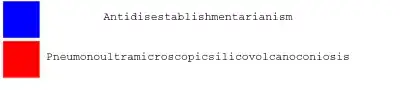
I was wondering what the best way is to extend the cells in a GraphicsGrid so that my text fits without line breaks. My problem is illustrated by the graphic produced by the code below:
GraphicsGrid[{
  {Graphics[{Blue, Rectangle[{1, -1}]}],
   Style["Antidisestablishmentarianism", FontSize -> 30],
   SpanFromLeft},
  {Graphics[{Red, Rectangle[{1, -1}]}],
   Style["Pneumonoultramicroscopicsilicovolcanoconiosis", FontSize -> 30],
   SpanFromLeft}}]`

I've been looking for ways to extend the cells on the right of the GraphicsGrid so that the text fits in on one line. In the code above, I've used SpanFromLeft to extend the cells a little. I would have to use many SpanFromLeft commands in order to fit the word next to the red square. So I was hoping that someone knew of a better way of doing this.




SpanFromLeft's – Mas May 12 '14 at 12:54