I am exporting an animation created using Manipulate in the .avi format. However the video runs very fast (I am putting it in Keynote). Its speed seems independent of how small I choose the step in Manipulate. Is there a way to control how fast the .avi will run or some other way to show the animation slower?
Asked
Active
Viewed 1.3k times
26


-
1If you post a working code snippet of what you are trying to export you will also probably get much better answers (see for example how this question was asked). – Ajasja May 14 '12 at 19:36
-
1In this related question, "Exporting Animations under Duration constraints to view on an iPad", some other export methods are discussed. – Jens May 15 '12 at 02:17
4 Answers
29
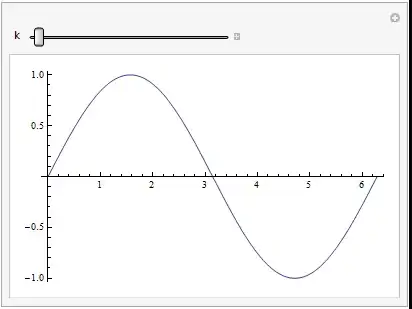
The trick is using a combination of "FrameRate", an option of Export, and AutorunSequencing, an option of Manipulate. The former determines the number of frames/second of the movie whereas the latter determines how long a sweep of the control takes. With one control, that will be the length of the movie.
Export["output.avi",
 Manipulate[
   Plot[Sin[k  x], {x, 0, 2 \[Pi]}],
   {k, 1, 5},
   AutorunSequencing -> {{1, 10}}
 ], "FrameRate" -> 2
]

Sjoerd C. de Vries
- 65,815
- 14
- 188
- 323
-
1Actually the
FrameRatewill not control the speed of sliderbar's velocity.Just take frame form oringnal fast video. – yode Oct 15 '15 at 02:57 -
-
1What happens when I need
FrameRateto be 0.5? To have a picture for 2seconds for example? I did not work for me. – Chen Stats Yu Aug 31 '18 at 02:28
9
The option you need is "FrameRate". It's not even necessary to create a list of graphics objects first, as per Sjored's answer.


-
You can
ExportaManipulateas movie without creating an array. TryExport["output.avi", Manipulate[Plot[Sin[k x], {x, 0, 2 \[Pi]}], {k, 1, 5}]]– Sjoerd C. de Vries May 14 '12 at 19:44 -
@SjoerdC.deVries: but you can't control the speed of the movie that way afaik. – Heike May 14 '12 at 19:46
-
-
-
5
I've found that giving the option "AnimationDuration"-> (seconds) in the Export function gives better results generally.

RationalAsh
- 71
- 1
- 4
-
1Please elaborate on your answer. For instance, in what sense does
"AnimationDuration"give better results? – bbgodfrey Oct 14 '15 at 14:50 -
@bbgodfrey Rather than reducing the framerate, it gives a longer animation at the same framretae, making it smoother. – RationalAsh Oct 16 '15 at 08:38
-
1
You can use AnimationDuration to control this and a good FrameRate to make the transition smoother.
Export["output.avi",
 Manipulate[Plot[Sin[k x], {x, 0, 2 \[Pi]}], {k, 1, 5},
  AutorunSequencing -> {{1, 10}}], "FrameRate" -> 25,
 "AnimationDuration" -> 15]
Video in: Animation Video

Héc JR
- 11
- 1
-
Your answer could be improved with additional supporting information. Please [edit] to add further details, such as citations or documentation, so that others can confirm that your answer is correct. You can find more information on how to write good answers in the help center. – Community Mar 15 '22 at 01:52