2

I have 3 sets of 5 x-y points:

RandomInteger[10, {3, 5, 2}]

Mathematica graphics

I want to display only one set of points at a time, and use a slider to move on to show the next set. This of course could be simply done with a Manipulate:

Manipulate[Module[{l},
  l = RandomInteger[10, {3, 5, 2}];
  ListPlot[l[[i]], PlotRange -> {{-1, 11}, {-1, 11}}]], {i, 1, 3, 1}]
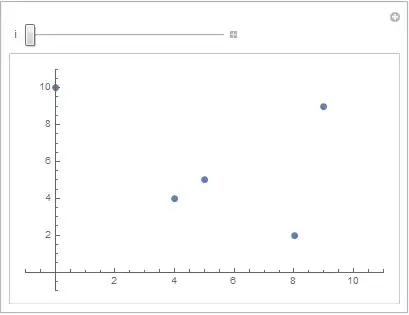
Mathematica graphics

However, notice that I have to hard code the Manipulate parameter to have a maximum of 3 (the number of sets there is). To avoid hard-coding, I have to make the Manipulate aware of the Length[l] i.e. the number of sets there is). I just can't seem to find a way how to do so given that l was a variable local to only the Module.


My question is: how can I make my Manipulate aware of a local variable in my nested Module?


PS: I could of course nest the Manipulate within a DynamicModule, but I'm wondering if there's any straightforward way to achieve the same thing with the opposite nesting (Module inside Manipulate).

DynamicModule[{l},
 l = RandomInteger[10, {3, 5}];
 Manipulate[ListPlot[l[[i]]], {i, 1, Length[l], 1}]]
seismatica
  • 5,101
  • 1
  • 22
  • 33

2 Answers2

3

There are lots of ways to do what you want. I would not use Module. Here are three, all of which use methods other than Module to localize variables:

SeedRandom @ 42;
With[{rand = RandomInteger[10, {5, 5, 2}]},
  Manipulate[
    ListPlot[rand[[i]], PlotRange -> {{-1, 11}, {-1, 11}}],
    {i, 1, Length[rand], 1, Appearance -> "Labeled"}]]

SeedRandom @ 42;
Manipulate[
  ListPlot[rand[[i]], PlotRange -> {{-1, 11}, {-1, 11}}],
  {i, 1, Length[rand], 1, Appearance -> "Labeled"},
  Initialization -> (rand = RandomInteger[10, {5, 5, 2}])]

SeedRandom @ 42;
Manipulate[
  ListPlot[rand[[i]], PlotRange -> {{-1, 11}, {-1, 11}}],
  {{rand, RandomInteger[10, {5, 5, 2}]}, None},
  {i, 1, Length[rand], 1, Appearance -> "Labeled"}]

All give the result

demo

m_goldberg
  • 107,779
  • 16
  • 103
  • 257
1

if you need to keep the definition of l inside manipulate, I think you can try this

Manipulate[l = RandomInteger[10, {3, 5, 2}];
 ListPlot[l[[i]], PlotRange -> {{-1, 11}, {-1, 11}}], {i, 1, 
  Dynamic@Length@l, 1}]

you need to know that for every i, l will be computed again and again. if you want to do 3 plot per each l then you can do it like this

Manipulate[l = RandomInteger[10, {3, 5, 2}];
 Dynamic@ListPlot[l[[i]], PlotRange -> {{-1, 11}, {-1, 11}}], {i, 1, 
  Dynamic@Length@l, 1}]
Basheer Algohi
  • 19,917
  • 1
  • 31
  • 78
  • 2
    It is always a bad idea to have variable definition as part of the first argument to Manipulate. See my answer here. The comment thread is relevant. – m_goldberg Aug 15 '14 at 10:47