I use the following command to export plots to PDF which I then use in latex:
plot = Plot[x^2, {x, -2, 2}, AxesLabel -> {x, x^2},
       PlotLegends -> {"Function f(x) = x^2"}]
Export[NotebookDirectory[] <> "SimplePlot.pdf", plot]
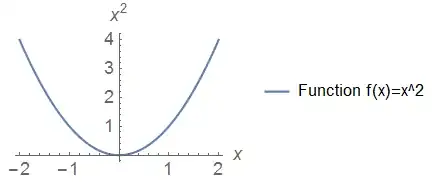
Now the "problem" is that the font of $x$, $x^2$ and $f(x)=x^2$ is not at all similar to the standard font of latex. I found that the command TraditionalForm produces output with a font that seems to fit latex much better:

But simply putting AxesLabel -> {TraditionalForm[x], TraditionalForm[x^2]} for example does not change the plot's font. So how can I change the font in my plot to the one that TraditionalForm offers? And no, I do not want to change the font in latex. ;)


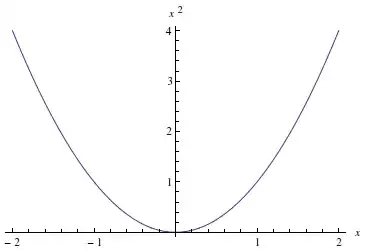


PlotTheme->"ItalicLabels"give something close to what you need? – kglr Sep 03 '14 at 16:51LabelStyle -> {FontFamily -> "Times", 14, GrayLevel[0]}. As long as the Font is installed on your System, the Font will be embedded. – Sep 03 '14 at 16:58plot=Plot[x^2,{x,-2,2},AxesLabel->{x,x^2},PlotLegends->{Style["Function f(x) = x^2",Italic]},LabelStyle->{FontFamily->"Times",14,GrayLevel[0]}]gives the desired result (on Win7, 64 Bit, Mathematica 10.0). – Phil-ZXX Sep 03 '14 at 17:02TicksStyle -> Plain.. – kglr Sep 03 '14 at 17:16