Nothwithstanding the answer from Mr.Wizard and discussion with @R.M it seems like you want to make a stylesheet with a docked cell ...right?
img = Plot[Sin[x^2], {x, -3, 3},
  Axes -> False,
  AspectRatio -> 0.25,
  BaseStyle -> Directive[FontFamily -> "Helvetica", 9],
  Frame -> True,
  FrameLabel -> {{"x axis", None}, {"y axis", None}},
  ImageSize -> 200,
  ImagePadding -> {{40, 1}, {30, 1}}]
Note that I have made this image just for testing purposes. If you have a JPEG or similar then just past it directly where you see img below. Once you have your image:
CellPrint[
 Cell[StyleData[All, "Working"],
  DockedCells -> {First[ToBoxes[
      TextCell[Row[{img, Spacer[20], Style["My Docked Cell", 24]}],
       Background -> GrayLevel[0.8], CellMargins -> 0]
      ]]}]
 ]

This generated cell can be added to your stylesheet. Before cutting and pasting this cell into the stylesheet make sure to click on the cell bracket and go to the options inspector and set GeneratedCells->False and CellAutoOverwrite->False.
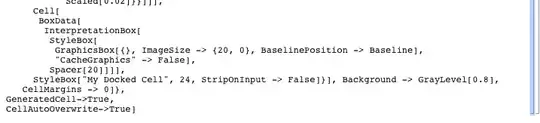
You need to do this because having these set to True in the stylesheet with lead to some screwy behaviour.
Alternatively to make it entirely programmatic you can do this:
CreateDocument@Notebook[{
   Cell[StyleData[StyleDefinitions -> "Default.nb"]],
   Cell[StyleData[All, "Working"],
    DockedCells -> {First[ToBoxes[
        TextCell[Row[{img, Spacer[20], Style["My Docked Cell", 24]}],
         Background -> GrayLevel[0.8], CellMargins -> 0]
        ]]}]},
  StyleDefinitions -> "PrivateStylesheetFormatting.nb"]

and save the resulting notebook as a stylesheet.
As far as creating cells like Cell[GraphicsData["Bitmap","thousandsOfCharactersOfEncodedJibberish"],...] goes I do not know how to make the resulting cell have the graphics information in this format. For my purposes this has never been a problem but I guess for large graphics there could be some advantages w.r.t to overall size.





BoxData@ToBoxesapproach is what the OP had in the question. But they were talking about a custom stylesheet, and I haven't found a way to get any evaluatable content (whichimghere is) into a stylesheet. It is essentially inert and the way that images are inserted in to stylesheets is by exporting the image as an encoded string and wrapping it inGraphicsData... something along the lines ofCell[GraphicsData["Bitmap","thousandsOfCharactersOfEncodedJibberish"],...]. – rm -rf Jun 01 '12 at 21:35GraphicsDatacan understand... All I can see from poking around are pre-encoded stuff in existing stylesheets, but no info on how to convert one of my own – rm -rf Jun 01 '12 at 21:45