16

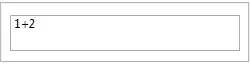
When running the following in a notebook (not a deployed CDF file), it can sometimes be annoying that accidentally pressing Shift-Return breaks out of the user interface:

Panel@DynamicModule[{input = ""}, InputField[Dynamic[input], String]]

I would like to know if one can (programmatically) prevent such a cell from being "evaluated" when Shift-Return is pressed, so that the user stays in the InputField instead of being thrown out of it while seeing a new generated cell appear.

Jens
  • 97,245
  • 7
  • 213
  • 499
  • 1
    One quick hack is to define a custom evaluator for the cell in which the InputField is, and make it return Null at the end. You can test by setting it to a simple CellEvaluationFunction->(Null& ). – Leonid Shifrin Jun 05 '12 at 19:19
  • @LeonidShifrin I tried that, and it's very close because it doesn't generate a new cell. But it still evaluates silently, increases the history counter and puts the cursor in the next line. – Jens Jun 05 '12 at 19:24
  • 1
    No time to do this myself, but one idea is examining the help browser's docked cell which also has an InputField in it. – Szabolcs Jun 05 '12 at 19:34
  • 2
    @Szabolcs That sounds like a good idea. Get help from the help browser in an unconventional way... – Jens Jun 05 '12 at 19:37
  • @Jens I briefly looked at it and it seems to be defined as a "front end resource" (not sure what that is). The next step would be searching the installation files for this resource (e.g. even the Find window is a notebook that you can examine---and yes, that has an input field too, maybe we don't need to go to the help browser!) ... Okay, I got to sleep now, I need to catch the Venus transit tomorrow at dawn :-) – Szabolcs Jun 05 '12 at 19:55
  • Now, all these solutions seem to work for shift+enter but not for my small enter on the number pad... Hummm – Rojo Jun 05 '12 at 23:49
  • Found it. What you want is to set Deployed->True in the output cell – Rojo Jun 06 '12 at 00:26

4 Answers4

15

If you notice Mathematica Documentation Center search field is kind of the same thing. And search window from Ctrl-F too. It uses a similar concept to what I'll show. Important thing to know is that EventHandler can track commands from the Mathematica menu. There is an undocumented option HandleShiftReturn and here is a trick I learned from FW:

DynamicModule[{x = ""}, 
  Column[{
    EventHandler[
      InputField[Dynamic[x], String], 
      {{"MenuCommand", "HandleShiftReturn"} :> {},
       {"MenuCommand", "EvaluateCells"} :> {}} (*edit by Kuba, handles Keypad Enter*)
    ], 
    Dynamic[x]
   }]
]

enter image description here

Return works, but Shift-Return does not.

Kuba
  • 136,707
  • 13
  • 279
  • 740
Vitaliy Kaurov
  • 73,078
  • 9
  • 204
  • 355
12
ExpressionCell[Panel@DynamicModule[{input = ""}, InputField[Dynamic[input], String]]]

Mathematica graphics
Content added:

Mathematica graphics

ShiftReturn pressed:

Mathematica graphics

Learned this here.

Sjoerd C. de Vries
  • 65,815
  • 14
  • 188
  • 323
7

This is just adding a Deployed->True to your output cell, and removing the CellEditDuplicate which ruins everything

CellPrint@
  ExpressionCell[
   Panel@DynamicModule[{input = ""}, 
     InputField[Dynamic[input], String]], "Output",  
   CellEditDuplicate -> False, Deployed -> True];

Actually, with CellEditDuplicate->False should be enough. However, keep Deployed in mind if you use other styles, and so Evaluatable->False

Rojo
  • 42,601
  • 7
  • 96
  • 188
2

There appears to be an undocumented InputBoxOptions "TrapEnterKey" which does just that:

InputField[
  Dynamic[x]
, String
, BaseStyle -> InputFieldBoxOptions -> {"TrapEnterKey" -> True}
]
Kuba
  • 136,707
  • 13
  • 279
  • 740