1

I wrote:

RasterizeWord[word_, font_, size_] := 
Rasterize[Style[word, FontFamily -> font, Black],RasterSize -> size,Background -> Gray] 
f=RasterizeWord["A", "Arial", 20]

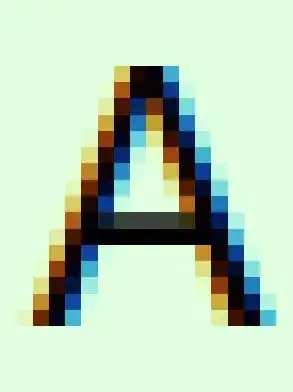
and I got (after zoom):
enter image description here

with 18 pixels (easy to calculate). Why??

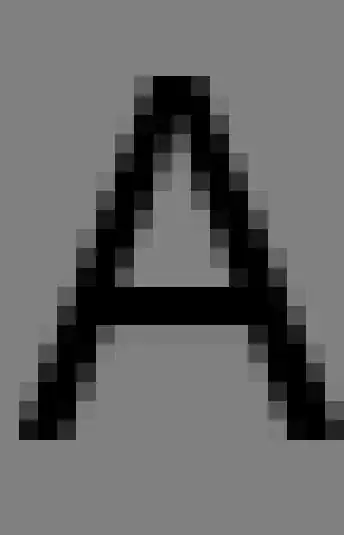
How to make it the grayscale?

I set antialising to none in Unity Tweak Tool (Linux) and I got:
enter image description here

So I tried:

RasterSize -> size, ImageSize -> size

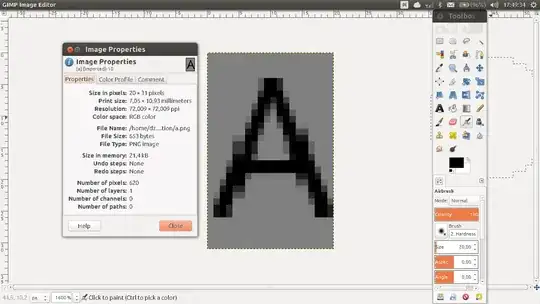
I got the same result. But it is interesting that in GIMP:
enter image description here

when I Export["f.png", f]. I think something is wrong with the zoom.

Alexey Bobrick
  • 1,652
  • 1
  • 14
  • 23
ZYX
  • 561
  • 2
  • 8
  • Welcome to Mathematica.SE! I suggest the following:
    1. As you receive help, try to give it too, by answering questions in your area of expertise.
    2. Read the [faq]!
    3. When you see good questions and answers, vote them up by clicking the gray triangles, because the credibility of the system is based on the reputation gained by users sharing their knowledge.

    Also, please remember to accept the answer, if any, that solves your problem, by clicking the checkmark sign!

    –  Nov 06 '14 at 16:06
  • You could disable subpixel antialiasing in your OS's text rendering settings. – Szabolcs Nov 06 '14 at 16:07
  • Replace RasterSize by ImageSize, you will get the correct width, see also recent http://mathematica.stackexchange.com/questions/64758/rasterize-resolution-option-not-working-properly – Alexey Bobrick Nov 06 '14 at 16:10
  • Thanks Alexey, but it is not true. – ZYX Nov 06 '14 at 16:59
  • @ZYX, on my system (MMA 10, Ubuntu 14), your code < Rasterize["A", RasterSize -> 20] // ImageDimensions > gives {9,18} . If you call instead < Rasterize["A", ImageSize -> 20] // ImageDimensions > , you get {20,34} on my configuration. Please, let me know, if you get a different result. – Alexey Bobrick Nov 06 '14 at 17:02
  • Though, actually, I had a very similar problem with resolution here: http://mathematica.stackexchange.com/questions/57688/boundaries-of-graphical-objects-not-displayed-correctly . The behavior there described has been confirmed as a bug. @Szabolcs: May that be a duplicate? – Alexey Bobrick Nov 06 '14 at 17:06
  • I have the same results. – ZYX Nov 08 '14 at 18:42

0 Answers0