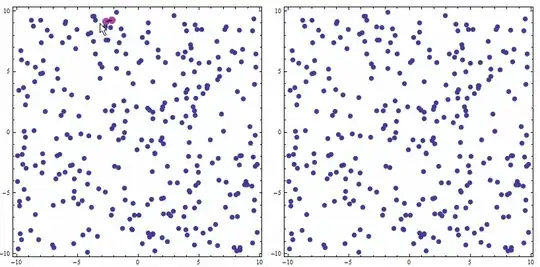
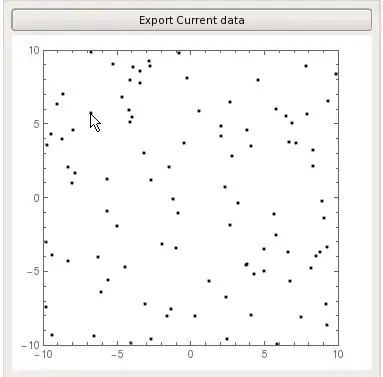
Try the function deletePoints[lst,imageSize] given below. Its first argument is the list of points, some of which you wish to delete, the second is the size of the image that you see on the screen for the convenience of working. The function shows the list on a LocatorPane, and you can select the points by Alt+LeftMouseClick, which brings up a locator in the vicinity of the point in question. You do not need to exactly hit the point in question. It is enough to place the locator closer to this point, than to the other ones. As soon as the points are selected, press the button in the bottom of the image. This generates two global variables: lstDeleted and lstSurvived. By evaluating them you get the both lists, and may then plot them, or do whatever else.
The function:
 deletePoints[lst_List, imageSize_Integer] :=
  DynamicModule[{pts = {}, lstNearest},
   lstNearest[a_List, b_List] := (Nearest[a, #, 1] // First) & /@ b;
   Column[{
     Dynamic@LocatorPane[
       Dynamic[pts],
       Dynamic@ListPlot[lst, ImageSize -> imageSize],
       LocatorAutoCreate -> True, ImageSize -> imageSize
       ],
     Button["Make the lists of survived and deleted points",
      Clear[lstDeleted, lstSurvived];
      lstDeleted = lstNearest[lst, pts];
      lstSurvived =
       Delete[lst, First /@ (Position[lst, #] & /@ lstDeleted)]
      ]
     }]];
Example of its functioning. Let this be a list in question:
    lst = RandomReal[{-10, 5}, {10, 2}]

  (*  {{4.20383, -2.58995}, {-0.928284, -4.00225}, {1.61195, -9.17291},{-1.58935,
      0.338292}, {-0.719281, -7.70116}, {-1.93687, -1.35842}, {-3.26784,-2.04274}, {-8.16471, -4.36758}, {-0.585342, -6.41022}, {-7.04512, 1.20394}}  *)
Apply the function:
deletePoints[lst, 400]
and select few points. I selected three that you can see in the image below. Press the button and evaluate the variables:
    lstSurvived
lstDeleted

(*  {{4.20383, -2.58995}, {1.61195, -9.17291}, {-1.58935,
  0.338292}, {-0.719281, -7.70116}, {-3.26784, -2.04274}, {-0.585342,-6.41022}, {-7.04512, 1.20394}}

{{-0.928284, -4.00225}, {-1.93687, -1.35842}, {-8.16471, -4.36758}}  *)

Have fun!






Epilogthat drew white shapes on top of the points you wanted to "delete" suffice? – Verbeia Nov 09 '14 at 09:59data1(without the excluded points) ready for further manipulation. – Vaggelis_Z Nov 09 '14 at 10:04DeleteCasesto remove the points. – Verbeia Nov 09 '14 at 10:08DeleteCases? – Vaggelis_Z Nov 09 '14 at 10:13MousePosition["Graphics"]and related. There are few demos on WRI that uses mouse to obtain coordinates from plot. http://reference.wolfram.com/language/ref/MousePosition.html but for this problem, one need to map the coordinates of the graphics, to the actual points in the data as well. – Nasser Nov 09 '14 at 10:33