I have a few questions. Here is the code so far:
Needs["VariationalMethods`"]
ClearAll[Global]

Framed[Manipulate[
  (

    variables = {Subscript[θ, 1][t], Subscript[θ, 2][t],
       Subscript[θ, 3][t], Subscript[θ, 4][t]};
    Subscript[r, 1] =
     Subscript[l,
      1] {Sin[Subscript[θ, 1][t]], -Cos[
         Subscript[θ, 1][t]]};
    Subscript[r, 2] =
     Subscript[r, 1] +
      Subscript[l,
       2] {Sin[Subscript[θ, 2][t]], -Cos[
          Subscript[θ, 2][t]]};
    Subscript[r, 3] =
     Subscript[r, 2] +
      Subscript[l,
       3] {Sin[Subscript[θ, 3][t]], -Cos[
          Subscript[θ, 3][t]]};
    Subscript[r, 4] =
     Subscript[r, 3] +
      Subscript[l,
       3] {Sin[Subscript[θ, 4][t]], -Cos[
          Subscript[θ, 4][t]]};

    tMax = 20;
    initial = {Subscript[θ, 1][0] == angle1,
      Subscript[θ, 2][0] == angle2,
      Subscript[θ, 3][0] == angle3,
      Subscript[θ, 4][0] == angle4,
      Subscript[θ, 1]'[0] == speed1,
      Subscript[θ, 2]'[0] == speed2,
      Subscript[θ, 3]'[0] == speed3,
      Subscript[θ, 4]'[0] == speed4};

    lagrangian = (Subscript[m, 1]/2) D[Subscript[r, 1], t].D[
         Subscript[r, 1], t] + (Subscript[m, 2]/2) D[Subscript[r, 2],
         t].D[Subscript[r, 2], t] + (Subscript[m, 3]/2) D[Subscript[r,
          3], t].D[Subscript[r, 3], t] + (Subscript[m, 4]/2) D[
         Subscript[r, 4], t].D[Subscript[r, 4], t] -
      g {0, 1}.(Subscript[m, 1]*Subscript[r, 1] +
          Subscript[m, 2]*Subscript[r, 2] +
          Subscript[m, 3]*Subscript[r, 3] +
          Subscript[m, 4]*Subscript[r, 4]);
    eqs = EulerEquations[lagrangian, variables, t];

    sol =
     First[NDSolve[Join[eqs, initial],
       Head /@ variables, {t, 0, tMax}]];

    nFrames = 200;
    frames =
     Table[Graphics[{lineColour, Thick,
         Line[{{0, 0}, Subscript[r, 1], Subscript[r, 2], Subscript[r,
           3], Subscript[r, 4]}], pivotColour, Disk[{0, 0}, .1],
         massColour, Disk[Subscript[r, 1], Subscript[m, 1]/10],
         Disk[Subscript[r, 2], Subscript[m, 2]/10],
         Disk[Subscript[r, 3], Subscript[m, 3]/10],
         Disk[Subscript[r, 4], Subscript[m, 4]/10]} /. sol,
       PlotRange -> {{-(Subscript[l, 1] + Subscript[l, 2] + Subscript[
             l, 3] + Subscript[l, 4] + Subscript[m, 4]/10),
          Subscript[l, 1] + Subscript[l, 2] + Subscript[l, 3] +
           Subscript[l, 4] +
           Subscript[m, 4]/
            10}, {-(Subscript[l, 1] + Subscript[l, 2] + Subscript[l,
             3] + Subscript[l, 4] + Subscript[m, 4]/10),
          Subscript[l, 1] + Subscript[l, 2] + Subscript[l, 3] +
           Subscript[l, 4] + Subscript[m, 4]/10}},
       Background -> White], {t, tMax/nFrames, tMax, tMax/nFrames}];
    ListAnimate[frames, 20]
    )
   "",
  Delimiter,
  "",

  Grid[{
    {
     {Style["Masses (kg)", 16, Bold],
      {{Subscript[m, 1], 1, "Mass 1"}, {1, 2, 3, 4, 5}},
      {{Subscript[m, 2], 1, "Mass 2"}, {1, 2, 3, 4, 5}},
      {{Subscript[m, 3], 1, "Mass 3"}, {1, 2, 3, 4, 5}},
      {{Subscript[m, 4], 1, "Mass 4"}, {1, 2, 3, 4, 5}}} ,


     {Style["Rod lengths (m)", 16, Bold],
      {{Subscript[l, 1], 1, "Rod 1"}, {1, 2, 3, 4, 5}},
      {{Subscript[l, 2], 1, "Rod 2"}, {1, 2, 3, 4, 5}},
      {{Subscript[l, 3], 1, "Rod 3"}, {1, 2, 3, 4, 5}},
      {{Subscript[l, 4], 1, "Rod 4"}, {1, 2, 3, 4, 5}}}},

    {{Style["Initial angles (radians)", 16, Bold],
      {{angle1, 0, "Mass 1"}, {1, 2, 3, 4, 5}},
      {{angle2, 0, "Mass 2"}, {1, 2, 3, 4, 5}},
      {{angle3, 0, "Mass 3"}, {1, 2, 3, 4, 5}},
      {{angle4, 0, "Mass 4"}, {1, 2, 3, 4, 5}}},

     {{Style["Initial angles (radians)", 16, Bold],
       {{speed1, 0, "Mass 1"}, {1, 2, 3, 4, 5}},
       {{speed2, 0, "Mass 2"}, {1, 2, 3, 4, 5}},
       {{speed3, 0, "Mass 3"}, {1, 2, 3, 4, 5}},
       {{speed4, 0, "Mass 4"}, {1, 2, 3, 4, 5}}}}}
    }
   ],
  "",
  Delimiter,
  "",

  Style["Display and style", 16, Bold],
  {{lineColour, Darker[Gray], "Rod colour"}, ColorSetter},
  {{massColour, Darker[Red], "Mass colour"}, ColorSetter},
  {{pivotColour, Darker[Red], "Pivot colour"}, ColorSetter},
  Paneled -> False
  ],
 FrameMargins -> 50,
 Background -> LightBlue,
 BaseStyle -> {FontColor -> GrayLevel[0]}
 ]
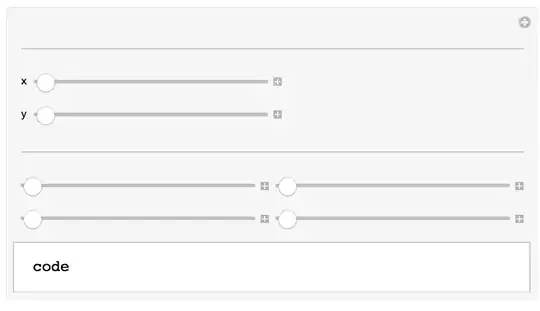
Don't worry, the animation works fine (without Manipulate). So I'm trying to use Grid in the body of Manipulate so the controls look better. I simply took the buttons, menus, etc. and put them inside Grid so it would put similar things together. It does that, but it instead of buttons showing up, the actual code shows up in grid. Moreover, it's way too wide...I just want the controls to take up a small part of the screen.
I'm also looking to change all the input fields to textboxes with certain limitations, like a mass greater than 0 but less than 5, for example.
And how do I get the animation not to run automatically? I've tried searching for any kind of autorun setting but can't find anything.




Grid, withControls before injecting them on theManipulate. I'll throw in another example. – Aisamu Dec 02 '14 at 12:31InputField. Well it works but it has my code INSIDE the text field! – Sultan of Swing Dec 02 '14 at 12:47