43

I've created a notebook for use in an in-class presentation. There is a fair amount of MMA code, and my students know nothing about MMA nor do they need to. I don't want to distract them with the code. I understand how to collapse the input cells and show only the output, but the input cells expand whenever I evaluate the notebook so I'm back to where I started.

This notebook is meant to be interactive, so it has to be evaluated whenever I change the input. In this case, I have an InputField that requests a ticker symbol and then the code uses FinancialData to get the data and from that creates the results.

I've tried creating a slideshow, but that has the same behavior. I've looked at the resources and answer in "Best way to give presentations with Mathematica" without finding any mention of this issue.

So, in MMA 8.04 is there any way to force the input cells to stay hidden after the notebook is evaluated? Surely, there must be an option for this somewhere.

Tim Mayes
  • 1,449
  • 2
  • 14
  • 18
  • 1
    How are you collapsing the input cells? In my version of Mathematica if I close an input cell (by delecting Cell > Cell Properties > Open) the cell stays closed during and after evaluation. – Heike Jan 25 '12 at 20:43
  • 1
    @Heike clearly the problem is we are missing the delecting key. ;-) – Mr.Wizard Jan 25 '12 at 20:46
  • 1
    @Mr.Wizard maybe it will be introduced in version 9 – Heike Jan 25 '12 at 20:52
  • @Heike, that was exactly the problem. I wasn't aware of that command. Thanks. – Tim Mayes Jan 25 '12 at 21:28
  • @NasserM.Abbasi, thanks for the pointer. Glad to know that I'm not alone. – Tim Mayes Jan 25 '12 at 21:39
  • Sorry about this, i have no answer, but i can't comment yet. Mr.Wizard's answer is genious, but it's it possible AutoCollapse doesn't work, if 2 or more Print[]-functions are in the input? – Phab Nov 29 '13 at 22:58
  • Another way to do this is to give cells that you want to hide a specific CellTag. CellTags can be set using SetOptions and EvaluationCell is then a nice tool. CellTags will be stored in your notebook, so once you have set them, there is no need to reset them all the time. Cells with a certain CellTag can be found using Cells. This allows you to close such cells (again using SetOptions) for example. – Jacob Akkerboom Jan 19 '14 at 23:31

4 Answers4

39

AutoCollapse[] function

Please try this code, based on Sasha's adaption of my own answer to this question.

AutoCollapse[] := (
  If[$FrontEnd =!= $Failed, 
   SelectionMove[EvaluationNotebook[], All, GeneratedCell];
   FrontEndTokenExecute["SelectionCloseUnselectedCells"]])

Then in a new cell:

2 + 2
AutoCollapse[]

Always place AutoCollapse[] as the last line of an Input cell.

Stylesheets

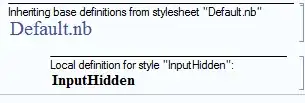
To get the behavior without having to include AutoCollapse[] in each cell you can use Stylesheets and CellEpilog. For example to create an InputHidden style use menu Format > Edit Stylesheet... and then add a Cell with the following code (use Ctrl+Shift+E to edit Cell code):

Cell[StyleData["InputHidden", StyleDefinitions -> StyleData["Input"]],
 CellEpilog :> (SelectionMove[EvaluationNotebook[], All, GeneratedCell]; 
   FrontEndTokenExecute["SelectionCloseUnselectedCells"]),
 MenuSortingValue -> 1510
 , MenuCommandKey -> "8"
]

enter image description here

This creates a new style that behaves like Input but which auto-collapses when evaluated. MenuCommandKey -> "8" lets it be quickly applied using Alt+8; change or remove this line as desired.


I may be reading more into your question than is there. As Heike points you can close the input cells manually by deselecting menu Cell > Cell Properties > Open but I assumed you knew this already and provided the soluition(?) above. If all you need is a hidden cell that generates output, use the menu. If you need something a little more flexible that automatically hides after you make your changes I hope you will find the methods above useful.

Mr.Wizard
  • 271,378
  • 34
  • 587
  • 1,371
  • Oooh, that seems to work great! The only problem, easily fixable, is that it changes the background color of my output to transparent (or at least to the background color of the stylesheet - I'm using Creative NaturalColor). I can fix this by explicitly specifying Background -> White for my charts. Thanks! – Tim Mayes Jan 25 '12 at 20:54
  • @Tim I used Print which is a bit hacking, and that is probably what causes the difference. For my own curiosity I would like to know whether AutoCollapse or Cell > Cell Properties > Open is closer to the intention of your question. – Mr.Wizard Jan 25 '12 at 21:00
  • @Tim I only now tried that in a different style sheet. It looks rather ugly, but I think I have a fix. I'll update my answer in a moment. – Mr.Wizard Jan 25 '12 at 21:04
  • as a newbie I didn't know about Cell > Cell Properties > Open, but that appears to do exactly what I need. The input cells stay closed unless I explicitly open them. I think this is perfect! Thank you. – Tim Mayes Jan 25 '12 at 21:21
  • 1
    @Tim I am glad you have a solution. If in the future you need AutoCollapse I think that is working well now too. – Mr.Wizard Jan 25 '12 at 21:27
  • Closely related and perhaps interesting for Mr.W :). Perhaps you could explain the precaution $FrontEnd =!= $Failed, I forgot about that when posting my answer. – Jacob Akkerboom Jan 19 '14 at 23:19
  • 1
    @Jacob I copied that directly from Sasha's code. I believe it is simply to keep the AutoCollapse core code from running when it is evaluated outside of a Notebook interface, for example if you saved the Notebook as a Package. – Mr.Wizard Jan 20 '14 at 00:15
  • Unfortunately, it looks like this doesn't work with Mathematica 10.0. – Thomas Fankhauser Jul 18 '14 at 14:24
  • @Thomas I just tried this and it seems to be working properly in version 10.0.0 under Windows. What OS are you running and what was your exact input? – Mr.Wizard Jul 19 '14 at 07:56
  • I have the latest OSX 10.9.4. Basically nothing changes, when I run, the results is shown in the out cell and additionally a Null(the function return value) is printed. I tried using it both with semicolon and without.. any idea? – Thomas Fankhauser Jul 19 '14 at 10:02
  • 1
    @ThomasFankhauser I tried this with OSX 10.9.3 and MMA10 and it works, so the problem could be local to your computer. – C. E. Jul 19 '14 at 10:22
  • How to programtically deselect the output cell that is selected with SelectionMove after group is closed? – Dan Oak Apr 30 '16 at 10:51
  • 1
    @dahnoak To move the cursor to the cell insertion point after the output please try: AutoCollapse[] := (If[$FrontEnd =!= $Failed, SelectionMove[EvaluationNotebook[], All, GeneratedCell]; FrontEndTokenExecute["SelectionCloseUnselectedCells"]; SelectionMove[EvaluationNotebook[], After, Cell]; ]) – Mr.Wizard May 01 '16 at 13:59
  • @Mr.Wizard Thank you very much! – Dan Oak May 01 '16 at 14:09
16

You could alt-click an output bracket which will cause all output brackets to be selected and then ctrl-} to close all subgroups, which, in this case, will close all input brackets that had output.

Alternatively, you could select all outputs in this way and check the menu item Cell>Grouping Close All Unselected

Sjoerd C. de Vries
  • 65,815
  • 14
  • 188
  • 323
5

This might be a good time to use Dynamic objects that will update as required with controls, buttons, or UpdateInterval, leaving direct evaluation of cells for outside of class.

Mr.Wizard
  • 271,378
  • 34
  • 587
  • 1,371
  • That would be a good idea, except that I don't need frequent evaluation. I just need to evaluate at the beginning of the lecture so that we have up-to-date data (and maybe a couple of other times to show that the results aren't a fluke). Of course, I could give up on the fresh data and go with slightly stale data so that I don't need to evaluate at all. – Tim Mayes Jan 25 '12 at 20:34
0

I have found using stylesheets allows you to have tabs to open and close at will. So, if you close the tab with all your code in it, the notebook will compile and the tabs with code will still remain closed. Hope I answered the question.

Mark
  • 1