3

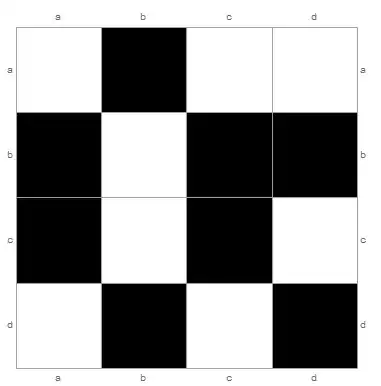
Consider the following example:

labels = Transpose@{Range@4, {"a", "b", "c", "d"}};
ArrayPlot[RandomInteger[1, {4, 4}],
 Mesh -> True, Frame -> True, PlotRangePadding -> None,
 FrameTicks -> {{labels, labels}, {labels, labels}}]

enter image description here

I want to eliminate the tick marks (the little lines that appear with the row/column labels), but retain the labels (a, b, etc.). Using FrameTicks->None removes the tick marks, but also removes the labels, so it's not what I want.

How can I do this?

a06e
  • 11,327
  • 4
  • 48
  • 108
  • if you want to keep ticks in the white cells you make add FrameTicksStyle -> Directive[Black], FrameStyle -> Directive[Black] – Basheer Algohi Dec 11 '14 at 16:17

2 Answers2

4

Look for details on "Ticks" in help, each tick can be defined by {x, label, len, style} - len defines the outer and inner length of the tick, so in your case just add 0 to each tick specs:

labels = Transpose@{Range@4, {"a", "b", "c", "d"}, 0 Range[4]};

and here you go:

enter image description here

funnyp0ny
  • 1,905
  • 14
  • 21
4

you can use Method -> {"FrameInFront" -> False}] option.

labels = Transpose@{Range@4, {"a", "b", "c", "d"}}; 
ArrayPlot[RandomInteger[1, {4, 4}], Mesh -> True, Frame -> True, 
 PlotRangePadding -> None, 
 FrameTicks -> {{labels, labels}, {labels, labels}}, 
 Method -> {"FrameInFront" -> False}]

enter image description here

Basheer Algohi
  • 19,917
  • 1
  • 31
  • 78