Re: appearance, you can do this with a style sheet. Below are some cells with my styles for a) running the terminal in Mma and b) sending stuff to a word document.

If that is what you are looking for I'll post a more detailed example.
Re: "predictive text coloring"
I presume you mean syntax styling of Mathematica code? If so this can be configured from the preferences menu, the options inspector, or a stylesheet.
If you can confirm that is what you require I'll post something more detailed. In the meantime these links may be useful:
Quickly editing the stylesheet and saving it
How to replace the style of the inline cell in a StyleSheet
Edit
CreateDocument@
 Notebook[{Cell[StyleData[StyleDefinitions -> "Default.nb"]],
   Cell[StyleData["MyInputStyle",
     StyleDefinitions -> StyleData["Input"]],
    AutoStyleOptions -> {
      "CommentStyle" -> {FontColor -> RGBColor[0.501961, 0, 0.25098],
        FontSize -> 11, FontFamily -> "Comic Sans MS",
        ShowAutoStyles -> False, ShowSyntaxStyles -> False,
        AutoNumberFormatting -> False},
      "FunctionLocalVariableStyle" -> {FontColor ->
         RGBColor[1, 0.5, 0]},
      "LocalVariableStyle" -> {FontColor -> RGBColor[0., 0.502, 0.],
        ShowAutoStyles -> False, ShowSyntaxStyles -> False,
        AutoNumberFormatting -> False},
      "PatternVariableStyle" -> {FontColor ->
         RGBColor[0.502, 0, 0.251], FontSlant -> "Italic",
        ShowAutoStyles -> False, ShowSyntaxStyles -> False,
        AutoNumberFormatting -> False},
      "StringStyle" -> {FontColor -> RGBColor[0.7, 0.35, 0.],
        FontSize -> 11, FontFamily -> "Century Gothic",
        ShowAutoStyles -> False, ShowSyntaxStyles -> False,
        AutoNumberFormatting -> False}},
    Background -> GrayLevel[0],
    FontColor -> RGBColor[1, 1, 0],
    MenuSortingValue -> 1500
    ]}, StyleDefinitions -> "PrivateStylesheetFormatting.nb"]
Save this document as a stylesheet and then to use it change you input cells to myInputStyle:

You may also want to set your own colours of course. I just pasted one of my color schemes and set the font to yellow and the background to black. It looks pretty bad but the framework is there for you to modify it.

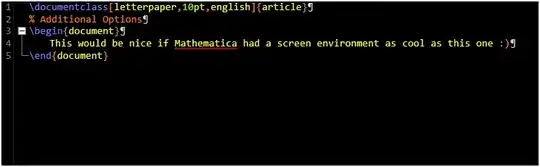


:). One thing, I did not see how to save it as a stylesheet? Can IExportit as one, & what's the extension for stylesheets if there is one? – night owl Jun 24 '12 at 00:19