I'm having trouble displaying a hollow cylinder in Mathematica 9. A hollow cylinder looks like this:

I tried to use RevolutionPlot3D with a step function. It displays as what I want, but a collection of them in a Show[] is really buggy.
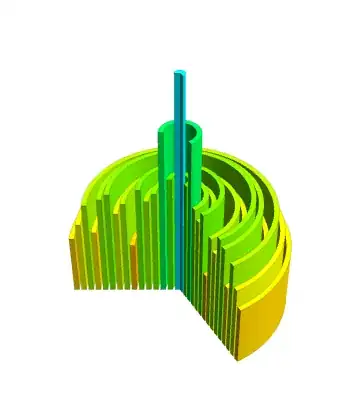
To prevent an X-Y problem, I'll say why I need this shape. I'm making a diagram to show how the integral of a volume of revolution can be approximated by a collection of hollow cylinders, like how the integral of a 1D function can be approximated by a collection of rectangles covering the undergraph.
I want my diagram to look something like this terrible drawing:
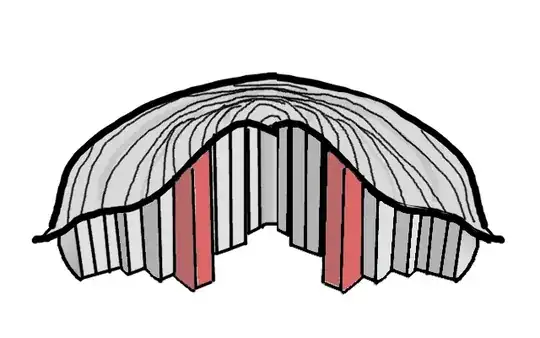
A Plot3D bounds the cylinders from above. The whole assembly is shown in a cross section, with one or two cylinders protruding out of the cross section to show what they are supposed to be.
If there is a better way to do this I'm open to that, but if there's some hidden CSG functions in Mathematica that would do the job I would be forever grateful to hear about them



Show[{RegionPlot3D[ 2.4 < x^2 + y^2 < 4, {x, -2, 2}, {y, -2, 2}, {z, 0, 2}, Mesh -> None], RegionPlot3D[0.5 < x^2 + y^2 < 2, {x, -2, 2}, {y, -2, 2}, {z, 0, 2}, Mesh -> None]}]pretty easily :) – Öskå Apr 25 '15 at 08:30