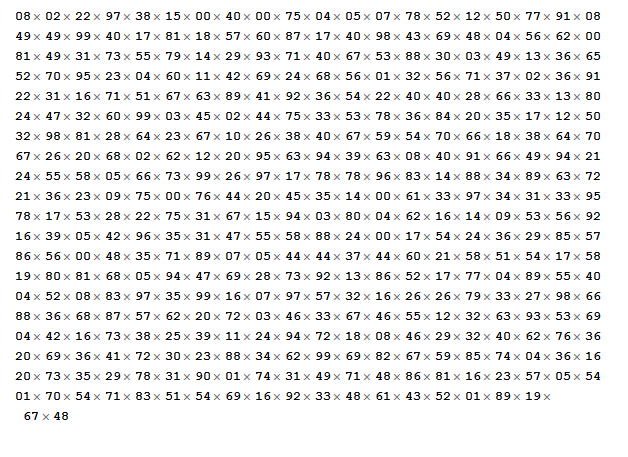
On Project Euler Problem 11 (link: https://projecteuler.net/problem=11), there is a 20x20 grid of numbers. However, when I pasted it into Mathematica, I got this strange result where the times symbol 'x' is interlaced between the numbers.
Here is an image that shows this (again, this grid is directly copy/pasted from the website): http://i.gyazo.com/6336b0c44a1cb6afef7ee3f962c06522.png
Are there any in-line commands/functions you can use on that mass of numbers so that you can enter everything once and it will return a nicely formatted list/matrix? The only way I could think of, which did not make use of in-line commands, was very tedious: Ctrl+F --> Replace all "x" with "," and then manually entering curly brackets to turn the grid into a list/matrix.
Ideally, I want to turn it into something like {{1,2,3},{4,5,6},{7,8,9}}, but of course with the appropriate elements.
Edit: From this StackExchange post (Cut and paste data from a spreadsheet), I found that
data = ImportString["(copy/paste grid here)", "TSV"]
works exactly as desired :)
Edit 2: Just kidding, the above doesn't work. It doesn't add commas.


DigitCharacter ..means one or more digits. – Karsten7 Jun 29 '15 at 03:39"Plaintext"is the default element used byImport. – Karsten7 Jun 29 '15 at 19:08