I want to make CDF WindowSize as constant so that the end user can not resize it either by dragging Window or by maximizing it.
Is there any in built Mathematica function to do this?
I want to make CDF WindowSize as constant so that the end user can not resize it either by dragging Window or by maximizing it.
Is there any in built Mathematica function to do this?

You can achieve it by removing "ResizeArea" element from WindowFrameElements option of the CDF file.
For example, we generate a resizable standalone CDF and open it in Mathematica:
cdfpath = CDFDeploy[
  ToFileName[{$TemporaryDirectory}, "thisistest.cdf"],
  Manipulate[n!, {n, 1, 10, 1}],
  WindowSize -> {400, 200},
  Method -> "Standalone"];

nb = NotebookOpen[cdfpath];
Then we remove the "ResizeArea" element and save it:
SetOptions[nb, WindowFrameElements -> {"CloseBox", "ZoomBox"}]
NotebookSave[nb]
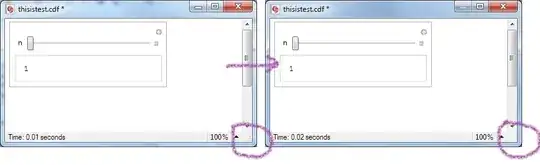
Note the changing at the lower right corner. Now the window size of nb should be fixed.
Caution
As @VitaliyKaurov warned in this comment, the WindowFrameElements has a long-term hidden danger as the official document said:
This function has not been fully integrated into the long-term Mathematica system, and is subject to change.
So please use it with vigilance.
Dynamic things are needed in WindowSize option along with something like Dynamic[CurrentValue["WindowSize"]].
– Silvia
Aug 03 '12 at 09:09
First of all you need to be careful. For example deploying large enough content of fixed window size would create problems on small computer screens. That warning being said, this is what you can do.
Imagine this is your interactive content:
m = Manipulate[Plot[Sin[f x]/x/f, {x, -6.6, 6.6}, PlotRange -> {-.3, 1}, Filling -> 0],
     {{f, 4, "frequency"}, 1, 6, Appearance -> "Labeled"}, AppearanceElements -> None]
You can take advantage of dialog-type of Mathematica notebook using CreateDialog which by default always makes the window not-re-sizable. Then use programmatic deployment with function CDFDeploy:
CDFDeploy["Standalone.cdf", CreateDialog[{m}, WindowSize -> All],Method -> "Standalone"]
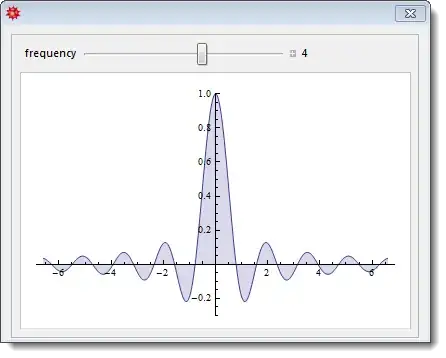
This will create Standalone.cdf CDF file in your default directory which you can find by running Directory[]. This is what you will get:
The WindowSize is very important, so you should read corresponding documentation articled that I linked. One of the most handy settings, besides fixed size, is actually scaled with respect to screen size settings. To Make a window that occupies one-third of the screen width and all of the screen height:
WindowSize -> {Scaled[1/3], Scaled[1]}

Try wrapping the output of the Manipulate in Panel.
This should enable you to use ImageSize and control the size of the CDF pretty well.
See the documentation:

This will enable you to control the size of the CDF within the CDF Window.
To better control the size of the notebook window itself look at the option inspector:
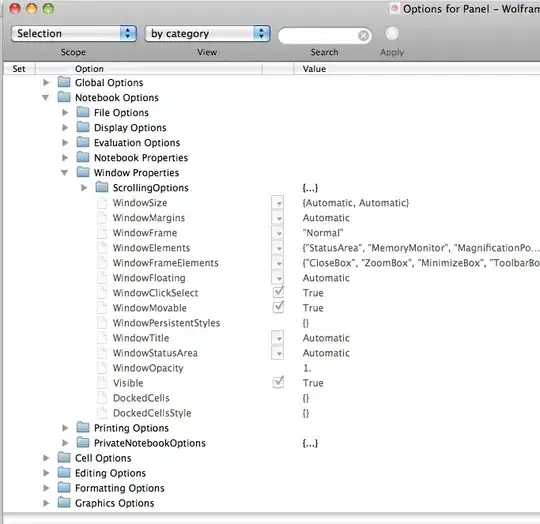
and the WindowSize setting.


