Due to security restrictions some functions such as Import, Uncompress, or OS access functions cannot be used as a part of Demonstrations code, including the Initialization. So a generally great idea by @acl comment about compression will not work on Demonstrations site (but it's really ncie to use otherwise). This is what you get if you try to use Uncompress function inside a Demonstration code:

But this is what you can do. When you import a .WAV file into Mathematica notebook it has a very simple structure:
s = Import[ "ExampleData/rule30.wav"]
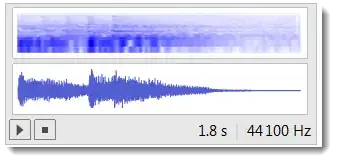
s // InputForm

Basically it is a simple list of numbers wrapped into functions Sound and SampledSoundList. You can extract these data and store them in a variable:
data = List @@ s[[1]];

ListLinePlot[data[[1]], PlotRange -> All, AspectRatio -> 1/4]
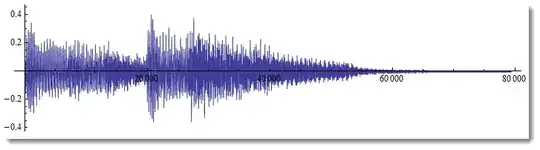
which will also (besides the data list) include the sampling frequency:
data[[2]]
44100
Include this data in Initialization for your demonstration:

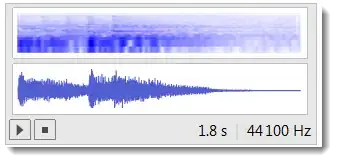
Then inside the Manipulate you can restore your sound identically to the original as
Sound[SampledSoundList @@ data]
Browse these Demonstrations to see how other people deal with audio data.


Compressreturns a string which can beUncompressed into whatever was originally compressed. You could have something likes=stringwith the appropriate string, but I don't know if this is allowed in demonstrations (and you'd need to fold the cell closed) – acl Aug 04 '12 at 14:38Importcommands. I asked a similar question a few months back, "Deploying Mathematica Content Online." You have to have the data all in the notebook so it can be self contained. – canadian_scholar Aug 04 '12 at 17:01