I use the following code to obtain a tube version of a spring:
 p =
   ParametricPlot3D[
     {20 Cos[t]-((837+800 Cos[2 t]-35 Cos[12 t]+40 Sqrt[2] Cos[t] Sqrt[801+Cos[12 t]]) Cos[300 t]+480 Sin[t] Sin[6 t] Sin[300 t])/(-1637+35 Cos[12 t]-40 Sqrt[2] Cos[t] Sqrt[801+Cos[12 t]]),
      20 Sin[t]+(4 (40 Cos[t]+Sqrt[2] Sqrt[801+Cos[12 t]]) (10 Cos[300 t] Sin[t]-3 Sin[6 t] Sin[300 t]))/(1637-35 Cos[12 t]+40 Sqrt[2] Cos[t] Sqrt[801+Cos[12 t]]),
      Cos[6 t]+(480 Cos[300 t] Sin[t] Sin[6 t]+(1565+37 Cos[12 t]+40 Sqrt[2] Cos[t] Sqrt[801+Cos[12 t]]) Sin[300 t])/(-1637+35 Cos[12 t]-40 Sqrt[2] Cos[t] Sqrt[801+Cos[12 t]])},
     {t, 0, 2Pi},
     PlotStyle -> Directive[Orange, Opacity[1], Specularity[White, 10]],
     Boxed -> False, Axes -> False, ImageSize -> 900, PlotPoints -> 3000]
       /. Line[pts_, rest___] :> Tube[pts, 0.1, rest];

Export["testTube01.png",p]
which gives:

However, though I increased the PlotPoints option to 3000, there still remained a defect at the upper left corner of the spring:

How can I obtain a smooth and normal tube version spring without such a defect?
Update 1
Per @belisarius suggestion, I tried the following:
p=ParametricPlot3D[{20 Cos[t]-((837+800 Cos[2 t]-35 Cos[12 t]+40 Sqrt[2] Cos[t] Sqrt[801+Cos[12 t]]) Cos[300 t]+480 Sin[t] Sin[6 t] Sin[300 t])/(-1637+35 Cos[12 t]-40 Sqrt[2] Cos[t] Sqrt[801+Cos[12 t]]),
20 Sin[t]+(4 (40 Cos[t]+Sqrt[2] Sqrt[801+Cos[12 t]]) (10 Cos[300 t] Sin[t]-3 Sin[6 t] Sin[300 t]))/(1637-35 Cos[12 t]+40 Sqrt[2] Cos[t] Sqrt[801+Cos[12 t]]),
Cos[6 t]+(480 Cos[300 t] Sin[t] Sin[6 t]+(1565+37 Cos[12 t]+40 Sqrt[2] Cos[t] Sqrt[801+Cos[12 t]]) Sin[300 t])/(-1637+35 Cos[12 t]-40 Sqrt[2] Cos[t] Sqrt[801+Cos[12 t]])},
{t,0,2Pi},PlotStyle->Directive[Orange,Opacity[1],Specularity[White,10]],
Boxed->False,Axes->False,ImageSize->500,
PlotPoints->100,Method->{Refinement->{ControlValue->Pi/360}}]/.Line[pts_,rest___]:>Tube[pts,0.1,rest];
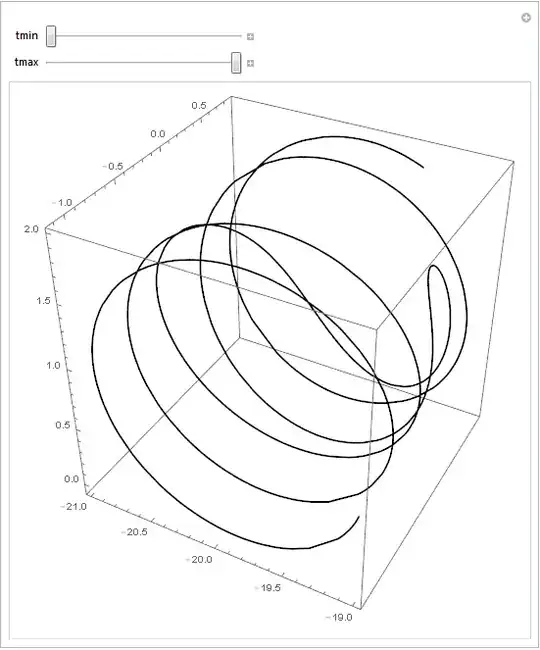
and obtained:

problem persists though looks a little different.
Update 2
When I use the following equation per comments by @N.J.Evans, problem is solved:
    {20 Cos[t]+((59+100 Cos[t]^2+50 Cos[2 t]+10 Cos[t] Sqrt[418-18 Cos[12 t]]-9 Cos[12 t]) Cos[240 t EllipticE[-(9/100)]])/(209+10 Cos[t] Sqrt[418-18 Cos[12 t]]-9 Cos[12 t])+(60 Sin[t] Sin[6 t] Sin[240 t EllipticE[-(9/100)]])/(209+10 Cos[t] Sqrt[418-18 Cos[12 t]]-9 Cos[12 t]),
20 Sin[t]+(10 (20 Cos[t]+Sqrt[418-18 Cos[12 t]]) Cos[240 t EllipticE[-(9/100)]] Sin[t])/(209+10 Cos[t] Sqrt[418-18 Cos[12 t]]-9 Cos[12 t])-(3 (20 Cos[t]+Sqrt[418-18 Cos[12 t]]) Sin[6 t] Sin[240 t EllipticE[-(9/100)]])/(209+10 Cos[t] Sqrt[418-18 Cos[12 t]]-9 Cos[12 t]),
(Cos[6 t] (209+10 Cos[t] Sqrt[418-18 Cos[12 t]]-9 Cos[12 t])-10 (6 Cos[240 t EllipticE[-(9/100)]] Sin[t] Sin[6 t]+(20+Cos[t] Sqrt[418-18 Cos[12 t]]) Sin[240 t EllipticE[-(9/100)]]))/(209+10 Cos[t] Sqrt[418-18 Cos[12 t]]-9 Cos[12 t])}
So it is the wrong equation that causes the defect.
thank you all for suggestions!



Method -> {Refinement -> {ControlValue -> 1 Degree}as in http://mathematica.stackexchange.com/a/8490/193 – Dr. belisarius Aug 21 '15 at 06:221 Degreeis an example ... – Dr. belisarius Aug 21 '15 at 06:23Refinementmethod works similar to that of increasing thePlotPoints, and does not seem to resolve the problem in my test withControlValue->Pi/360– LCFactorization Aug 21 '15 at 06:58