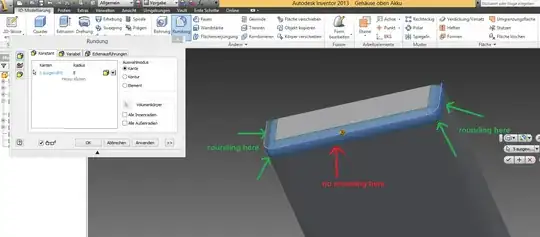
I am using Autodesk Inventor 2013 and I need to round a component of a device. I want to round the green marked edges, but not the red marked. But when I click "round", then the bottom edge will always be added to the rounding and I cannot de-select it. Any hints how to solve this problem?