I probably shouldn't be encouraging behaviour like this, but in hopes of saving you any further monetary costs, here's what I found about it:
thumbs.db is just a cache for thumbnails to make them load faster. You can disable this cache (without disabling thumbnails) through the following technique:
source: http://www.sitepoint.com/switch-off-thumbs-db-in-windows/
- Ensure you’re logged in using an administrator account.
- Hit Win+R, type gpedit.msc in the Run window and click OK. The Local Group Policy Editor will be launched.
- Navigate through the tree to User Configuration > Administrative Templates > Windows Components > then either Windows Explorer (Windows Vista/7) or File Explorer (Windows 8).

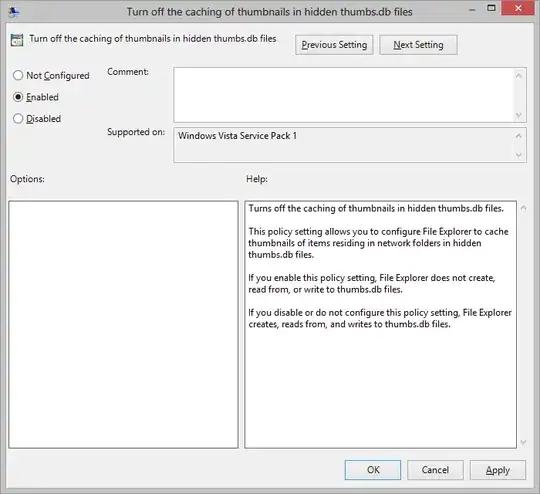
-In the right-hand pane, double-click “Turn off the caching of thumbnails in hidden thumbs.db files”.
- Select Enabled (don’t make my mistake of choosing “Disabled” — you’re enabling the switching off of Thumbs.db. Not particularly intuitive, Microsoft!)
This will not disable thumbnails, it will just disable the caching of thumbnails to speed up the loading of them.


