How do I make a portable version of Minecraft?
If we already had Minecraft installed, it's very easy to convert it to portable Minecraft. We still create the directories on the USB and download Minecraft.exe, but we copy the existing .minecraft folder from the disk to the USB.
To find the non-portable Minecraft folder, we can press the Windows key + R and type %appdata% at the "Run" window.
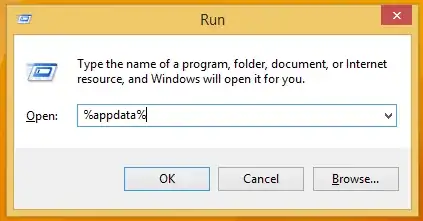
Then, we just copy .minecraft to the data folder on the thumb drive.

Create the batch to start portable Minecraft
Finally, we need to create a batch file to start Minecraft. This batch file will tell the Minecraft executable to use the folders on the USB, and not the HDD.
We just need to open a plain text editor, such as Notepad...
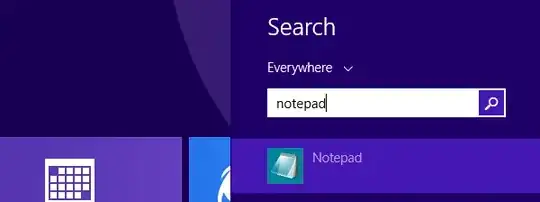
...and type:
set APPDATA=%CD%\data
"%CD%\bin\Minecraft.exe"

Afterward, we save the file within the Minecraft Portable folder, along with the bin and data folders.
We can give it a name of our choice, such as "portable Minecraft", or "Minecraft portable", or "launcher". It is important that it has the ".bat" extension, and we have selected "All Files" in the "Save as type".

If we did it correctly, the system will recognize it as a Windows Batch File.

This is the file we will run to start the portable Minecraft.
Portable Minecraft: The first launch
The first time we start portable Minecraft, the PC needs to have internet access. It will download the runtime...

...set up the runtime, which can take a while on a slow USB stick...

...and then prompt for our Minecraft account credentials.
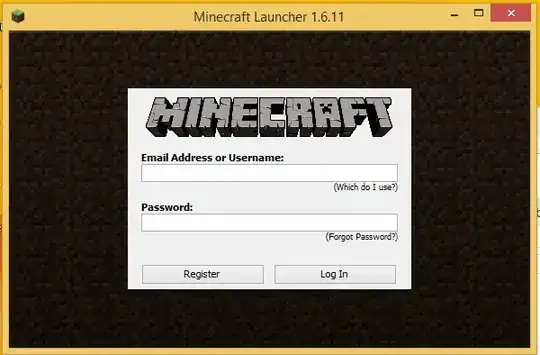
Once inside, it's a good idea to check that the proper folders on the USB are being used, instead of the system folders. We click on Edit Profile...

...and make sure the Game Directory and Executable are both on the flash drive.

We don't need to make any changes, just check that the paths are on the USB.
After that, we can click on Play. We wait as the system downloads the proper files...

...and a couple of minutes later, we are on the main menu.

With a good enough USB flash drive, there will be no difference as if we played off the HDD.

Since we run the program once, we can now play offline on any PC with the same version of Windows. It won't even ask for the account credentials anymore, the one time was enough.
Source Portable Minecraft - Make a USB stick to Play Anywhere


