Pressing "Ctrl+F" would forward the message. Then, is there a keyboard shortcut for finding text in an email? (Think Adobe PDF Ctrl+F or Word Ctrl+F)
Asked
Active
Viewed 1.7k times

5 Answers
11
The F4 key will also bring up the Find and Replace dialog for searching in a message.

Charles
- 111
-
this works only when the message is already open in its own window :-/ but thank you better than nothing :-) – bugrasan Feb 08 '23 at 18:42
4
EDIT: To search within an e-mail, ALT+HFD will bring up the Find dialog without having to add it to the Quick Access Toolbar.
Back when I thought you were asking about searching through e-mail items in Outlook:
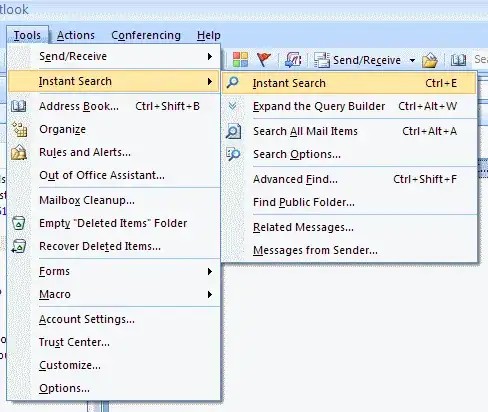
From your Inbox just hit Ctrl+E. This will focus the Instant Search box for searching the contents of e-mail. Alternately, Ctrl+Alt+A will focus the search box for Search All Mail Items.

3
While you have a message open. In the upper right hand is a "Find" button. Right click it and add to quick access toolbar. Then press ALT+6 or whatever number outlook has assigned to the button.

Kelbizzle
- 1,869
2
The F4 key is the one you want.
It will find a particular word (or part of a word) within the text/body of an e-mail.
Every time you hit the Enter key after that, it will find the next word or part.

Gareth
- 18,809

0
There doesn't appear to be by default.
If you hover over the Find option the tooltip just reads:
Find
Find text in the document
If you hover over the Replace option you get:
Replace (Ctrl+H)
Replace text in the document

ChrisF
- 41,262