How can I remove those overlays that are put on every shortcut? They are a bit annoying, especially on my desktop because most of the icons are shortcuts.
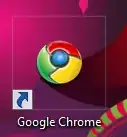
How can I remove those overlays that are put on every shortcut? They are a bit annoying, especially on my desktop because most of the icons are shortcuts.
Download Vista Shortcut Overlay Remover (FxVisor) from frameworkx. FxVisor allows you to either way to modify or remove the shortcut overlay arrow in Windows 7 and Vista. Here is the screenshot of that utility:
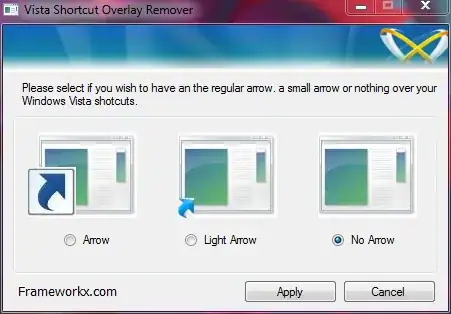
Removing the shortcut arrow: Download blank_icon.zip and extract the file blank.ico to a folder of your choice. In this example, we use C:\Icons\blank.ico as the path to the icon file you downloaded. And then follow these steps:
Navigate to the following branch:
HKEY_LOCAL_MACHINE \ SOFTWARE \ Microsoft \ Windows \ CurrentVersion \ explorer \ Shell Icons
In the right pane, create a new String value (REG_SZ) named 29
Download this Reg file and follow readme instruction included within zip file to remove shortcut arrow icon. (Beware: I didn't write this reg file!)
To also removes the - Shortcut part:
Locate “Link” in right pan of registry editor
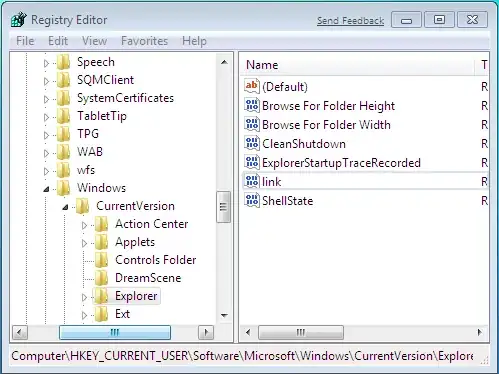
Now try to create shortcut on your desktop and it should not show shortcut extension.


Here's a link to Vista Shortcut Overlay Remover: http://www.pcworld.com/downloads/file/fid,64901-order,1-page,1/description.html
– scobi Nov 18 '09 at 22:55