After updating my Windows 10 to creators update (build 15063.138) when I restart or shutdown the PC a screen appears and shows a 'G' app which is preventing the operation.
Is there a way to determine which application it is, or find out more details about it?
I do not see any "g" running process or installed application in my system.
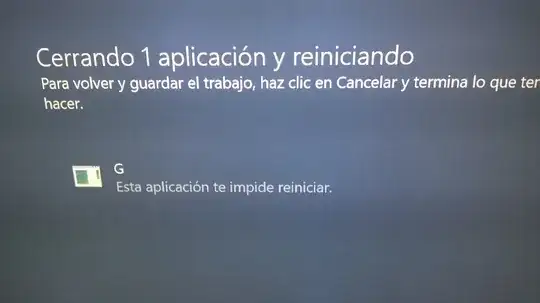


shutdown.exe -s -f -t 00) – Bennett Yeo Nov 19 '17 at 23:29When G is the only process stopping reboot and I tell Windows to quit anyway, it quite without apparent problems.
To the best of my knowledge I'm not running utorrent or Geforce.
– Mark Olson Nov 30 '17 at 03:38G.exeon the drive. – Michael Dec 11 '17 at 00:45