I installed Windows loT core onto my SD card and used it for my Raspberry Pi. Upon deleting the OS, I found that my SD card had been split into multiple drives. Is there a way to fix this? I can't add a screenshot as an unexpected error occurred.

I installed Windows loT core onto my SD card and used it for my Raspberry Pi. Upon deleting the OS, I found that my SD card had been split into multiple drives. Is there a way to fix this? I can't add a screenshot as an unexpected error occurred.

The Disk Management tool may not let you work on SD cards and flash disks with partition tables. diskpart will work, though.
diskpart and press Enter. You may have to confirm UAC prompt.list disk Enter. Take note of card's disk number.select disk X Enter (X is disk number from previous command.clean Enter - this will overwrite partition table with zeros - all data will be lost.
Firstly, you need to run diskmgmt.msc - if you have Windows 10, just click start, then type "diskmgmt.msc", right click it, choose to start it as administrator. You should get something like on the screenshot below. Then you just right-click every volume on your sd card, and delete it. After you deleted them all, you can create one also by right clicking on empty/unassigned space on sd representation.
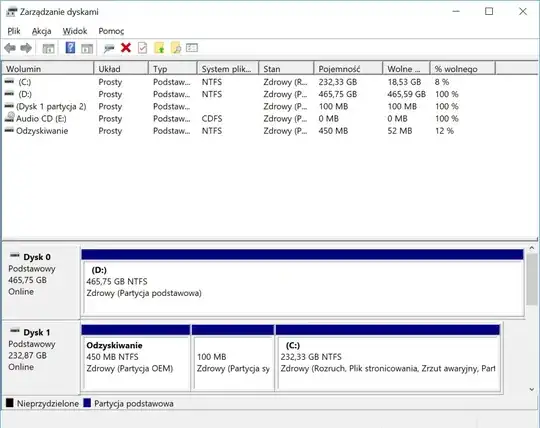


Diskpart and diskmgmt.msc did not work for me on my microSD after installing miner firmware and it was split into about 5 drives. I used Android (maybe an otg adapter if it's a flash drive or an app but I don't think it's necessary) to format it, it will say to repair the drive and then it worked perfectly, every time!
Diskpart and diskmgmt.msc did not work for me on my microSD, and formatting it with Windows did not work, but formatting it with the SD Association Formatter worked: https://www.sdcard.org/downloads/formatter/sd-memory-card-formatter-for-windows-download/

Easy and fastest way. Put SD card into old camera let the camera format the card. Put back into PC to use.


