I am trying to install Oracle Instant Client for Linux on Ubuntu Server 18.04 LTS and I am getting this error when I attempt to run sqlplus:
-bash: /home/ubuntu/instantclient_19_3/sqlplus: No such file or directory
First, I downloaded the following files:
- instantclient-basic-linux-19.3.0.0.0dbru.zip
- instantclient-sdk-linux-19.3.0.0.0dbru.zip
- instantclient-sqlplus-linux-19.3.0.0.0dbru.zip
- instantclient-tools-linux-19.3.0.0.0dbru.zip
Then I unzipped them into the folder /home/ubuntu/instantclient_19_3/
Then I installed libaio:
sudo apt-get install libaio1 libaio-dev
Then I exported the $ORACLE_HOME, $LD_LIBRARY_PATH and $$TNS_ADMIN variables.
Then I added $ORACLE HOME to the path.
But for some reason the app is not executed.
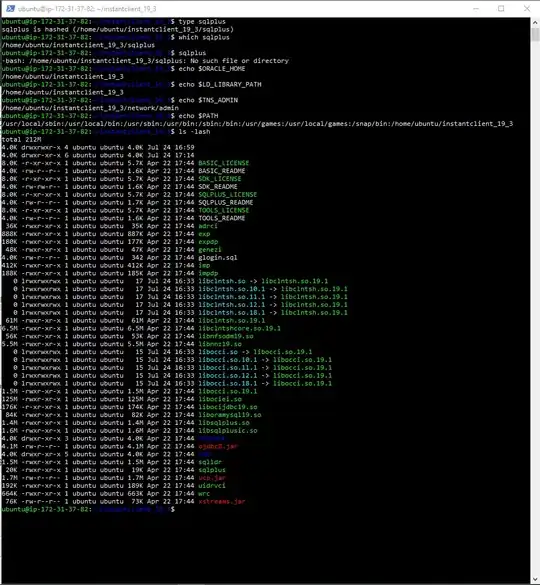
Full Terminal Output:


rehashafter changing the path? – DavidPostill Jul 24 '19 at 20:15