0

I need to create a repair disc for a machine running Windows 7 Professional x86, but first I need to find out the exact license type before burning the only DVD I have, because (believe me) all USB ports are malfunctioning and therefore cannot copy the ISOs to a thumb stick. The repair disc I have from another machine displays the following:

This version of System Recovery Options is not compatible with the version of Windows

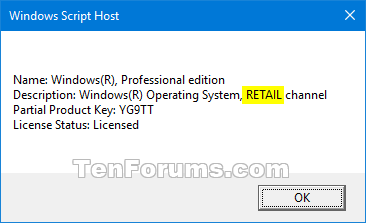
I only have a copy of the files under C:\ made by a colleague with Parted Magic so running slmgr -dli on cmd won't do it because I cannot boot the machine. Ideally, there should be a file somewhere indicating wether this copy has a retail, OEM or volume license. I did some digging and this slmgr.vbs script seems to contain some variables present in the dialog box from slmgr -dli, but it didn't take me anywhere...

I know this is possible on Windows XP by reading the setupp.ini file, but is it on 7?

ablon
  • 1
  • Can't also copy slmgr.vbs there? – Wasif Jun 16 '20 at 02:46
  • It already is on the hard drive, I just pasted its contents. On line 239 you can see the beginning of the second line from the dialog box, and on line 1184 it appears again along with this strDescription variable, but I could not find out the contents of this other variable... – ablon Jun 16 '20 at 02:54
  • See my answer here>>>>>>https://superuser.com/a/939344/40928 – Moab Jun 16 '20 at 11:52
  • @Moab thanks for the info, but I already know what version is installed (W7 Pro, 32b). What I really need is to find out wether it's a retail, OEM or volume license. But maybe, if there aren't any files referring to the license type, W7 doesn't see any difference between them. I am testing some installer images over USB before burning a DVD. – ablon Jun 16 '20 at 15:30
  • @ablon if gpedit.msc is present in system32 folder it is pro, if not it is home. – Moab Jun 16 '20 at 19:02
  • @moab. Not true. I run home and installed gpedit myself. See Windows Starter Edition, Home and Home Premium do not include gpedit, how do I install it? - Super User self ansered question by me :) – DavidPostill Jun 16 '20 at 20:12
  • How many people do that......geeze. – Moab Jun 16 '20 at 20:59
  • UPDATE: I forgot to mention I could not test the disk images I had on USB because all the ports were somehow broken. But I managed to fix one by resoldering it and managed to repair the OS. I will leave this question as unanswered. Thanks everyone for the help! – ablon Jun 17 '20 at 20:22

0 Answers0