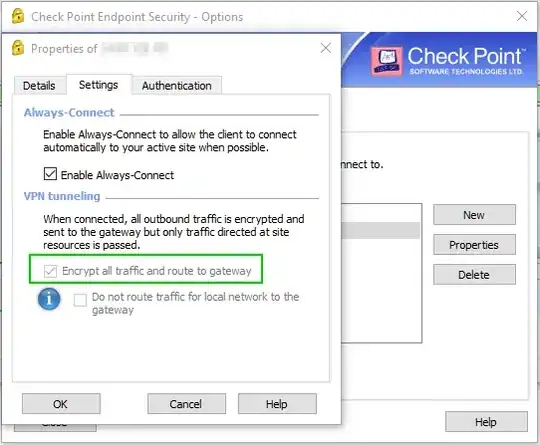
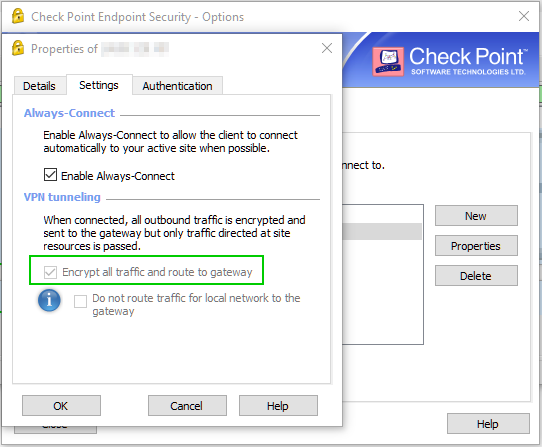
When I connect to my VPN, I can't access my own hostname.
C:\WINDOWS\system32>ping my-laptop
Pinging my-laptop [172.25.224.1] with 32 bytes of data:
Request timed out.
...
The address 172.25.224.1 is the IP address of one of my interfaces, but since the VPN routes all traffic through HQ, obviously I can't access it.
Can I change the IP that my hostname is being resolved to?
I tried adding an entry in the hosts file, but it doesn't help. Probably because getaddrinfo returns all local IP addresses before DNS entries.
Can I add a route to override this?
After adding some routes, this is the relevant part of my route table:
PS C:\WINDOWS\system32> Get-NetRoute | Where DestinationPrefix -Like "172.25.224.*"
ifIndex DestinationPrefix    NextHop        RouteMetric ifMetric PolicyStore
------- -----------------    -------        ----------- -------- -----------
71      172.25.224.2/32      0.0.0.0                  2 15       ActiveStore
71      172.25.224.1/32      0.0.0.0                  1 15       ActiveStore
7       172.25.224.0/21      172.16.10.26             1          ActiveStore
71      172.25.224.0/20      0.0.0.0                256 15       ActiveStore
But here are the actual routes chosen:
PS C:\WINDOWS\system32> Find-NetRoute -RemoteIPAddress 172.25.224.1 | Select DestinationPrefix, NextHop
DestinationPrefix NextHop
----------------- -------
172.25.224.0/21   172.16.10.26
PS C:\WINDOWS\system32> Find-NetRoute -RemoteIPAddress 172.25.224.2 | Select DestinationPrefix, NextHop
DestinationPrefix NextHop

172.25.224.2/32   0.0.0.0
Why is the route I added for 172.25.224.2 working but the route for 172.25.224.1 not?
Why is 172.25.224.0/21 selected over 172.25.224.0/20 even though the latter is more specific?