How do I change the font size of a Thunderbird thread list on a Mac?
I don't see any settings in the preferences.
How do I change the font size of a Thunderbird thread list on a Mac?
I don't see any settings in the preferences.


Daniel's answer is correct. You have to extend userChrome.css in the ~/Library/Thunderbird/Profiles/[yourProfileName]/chrome/ folder. Here is the CSS code that will fix the spacing as well:
/* Set default namespace to XUL */
@namespace
url("http://www.mozilla.org/keymaster/gatekeeper/there.is.only.xul");
/* Set font size in folder pane */
#folderTree >treechildren::-moz-tree-cell-text {
    font-size: 12pt !important;
}
/* Set font size in thread pane */
#threadTree >treechildren::-moz-tree-cell-text {
    font-size: 12pt !important;
}
/* Set height for cells in folder pane */
#folderTree >treechildren::-moz-tree-row {
   height: 25px !important;
}
/* Set height for cells in thread pane */
#threadTree >treechildren::-moz-tree-row {
   height: 25px !important;
}
Thunderbird versions > 115.* have changed the styling, this works for me:
/* Do not remove the @namespace line -- it's required for correct functioning */
/* set default namespace to XUL */
@namespace url("http://www.mozilla.org/keymaster/gatekeeper/there.is.only.xul");
@namespace html url("http://www.w3.org/1999/xhtml");
/* Set Font Size And Spacing In Folder Pane */
html|ul#folderTree html|li[is="folder-tree-row"] > html|div.container > html|span.name {
    font-size: 1.45rem !important;
    line-height: 1.6 !important;
}
/* Set Font Size And Spacing In Thread Pane */
html|table[is="tree-view-table"] {
    font-size: 1.45rem !important;
    line-height: 1.65 !important;
}

toolkit.legacyUserProfileCustomizations.stylesheets as @Nicolai wrote in his answer: https://superuser.com/a/1678560/534153
– heavelock
Feb 17 '22 at 09:24
qingu has most of the correct answer, i.e. you need to create a ~/Library/Thunderbird/Profiles//chrome/userChrome.css file containing
/* Set default namespace to XUL */ @namespace url("http://www.mozilla.org/keymaster/gatekeeper/there.is.only.xul");
/* Set font size in folder pane */
#folderTree >treechildren::-moz-tree-cell-text {
    font-size: 10pt !important; }
/* Set font size in thread pane */
#threadTree >treechildren::-moz-tree-cell-text {
    font-size: 10pt !important; }
/* Set height for cells in folder pane /
#folderTree >treechildren::-moz-tree-row {
    height: 20px !important; } / Set height for cells in thread pane */
#threadTree >treechildren::-moz-tree-row {
    height: 20px !important; }
You also must go to the Thunderbird Preferences->Config Editor (last option in the preferences), search for the value toolkit.legacyUserProfileCustomizations.stylesheets
and toggle it to True. Without this, the CSS customisation will not be read.
The default size seems to be about 6pt, so 10pt makes it significantly more readable (on a Retina display). The example above also adjusts the height of each row in the message list to match a 10pt font size.

You need to edit your userChrome.css file.
Go to ~/Library/Thunderbird/Profiles/[yourProfileName]/chrome/ (creating the chrome directory if it doesn't exist) and edit userChrome.css, again creating if it doesn't exist.
For example, to edit all text in Thunderbird (except message view), enter the following:
/* Global UI font */
*
{
    font-size: 18pt !important;
    font-family: Verdana !important;
}
The result looks something like this:
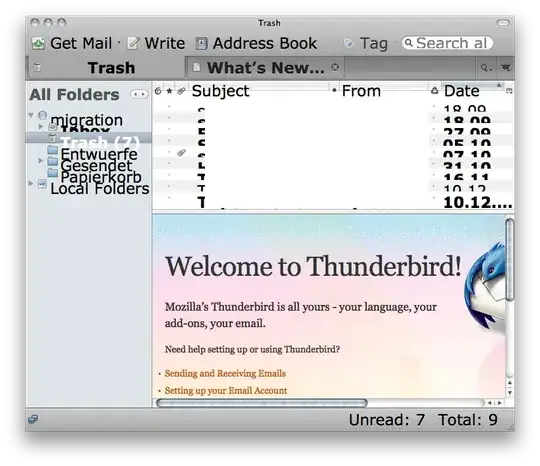
Unfortunately, I was unable to find the CSS class for the message list. Replace the * in the CSS content with that CSS class, and it should work as intended.

You have to make a folder named chrome in the profile folder. On a Mac it is located in /users/NAMEOFTHEUSER/Libraries/Thunderbird/Profiles/NAMEOFTHEPROFILE/ and there you need to make a new text file named userChrome.css, as discussed in the previous answers.
listitem, treechildren::-moz-tree-row {
    min-height: 2em !important;
}

The easiest solution I have found is described in this thread: https://support.mozilla.org/en-US/questions/1297871 Might not be perfect but it works at least for me

I use the "Theme Font & Size Changer" add-on: https://addons.mozilla.org/de/thunderbird/addon/theme-font-size-changer/
This add-on gives you a little GUI, where you can easily change the font-size of the thread-list (and the tree), without fiddling around in the css file.

