On an HTTPS website, I receiving a popup window saying "This web site does not supply ownership information." An image of popup is attached below.
Why is this popup appearing? How can I stop it?
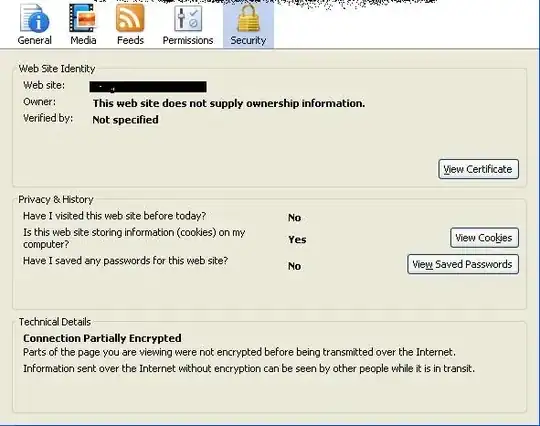
On an HTTPS website, I receiving a popup window saying "This web site does not supply ownership information." An image of popup is attached below.
Why is this popup appearing? How can I stop it?

Is this actually a popup alert you're seeing? It looks more like the "page information" window in Firefox, which you need to open yourself to see.
The vast majority of SSL/TLS certificates are what's called "domain validated" certificates. These are perfectly secure and unremarkable. They do not contain information about the owner of the website.
Financial institutions and a few other organizations often have "extended validation" certificates. These do contain ownership information, and will turn the address bar green in many browsers. In fact, the ownership information will also show up in the address bar:

And the owner will also show in the page information window:

Once again, the vast majority of websites do not have EV certificates, and this is perfectly normal.
If there's actually an error with the certificate, most browsers will actively block the connection. See badssl.com for many examples of certs with errors, on which you can test your browser.

usually that means that your browser doesn't contain the certificate for this secured site. You could install this certificate from the website itself into "trusted root certification authorities"

If the website's SSL certificate is not signed by a valid certificate authority (CA), you will get that warning unless you install the servers public key on the client computer in question, which is hardly ever feasible for a public website.
