I found this strange file on my desktop the other day, its file name is "Image Catalog".
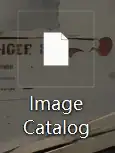
I didn't think much of it at first, but then I decided it wasn't working and I wanted to delete it.
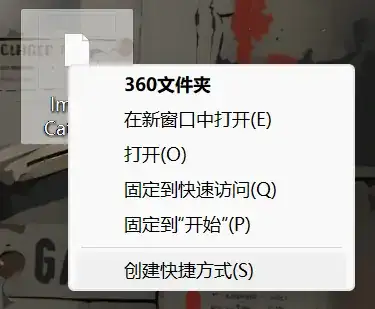
But strangely, after I right-click it, the options displayed only "open in a new window", "open", "fixed to quick access", "fixed to 'Start'" and "create a shortcut" these options, and no delete and properties and other options.
When you open this file, it looks like this:
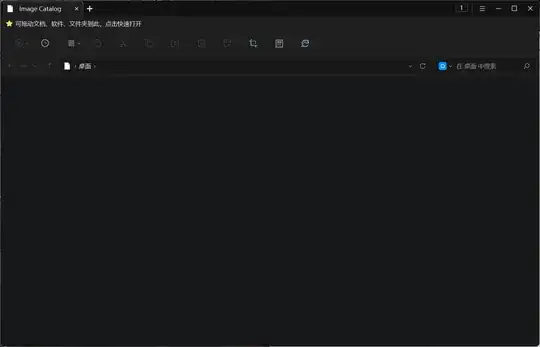
You can't add files to it, or move the file itself. In fact, you can't find it in Explorer, the terminal doesn't show it, and deleting it with Powershell doesn't help as well.
I tried another file manager, such as Total Commander, but it couldn't find the file either, and it didn't show up in the file list at all.
Again, no matter how many times the computer is rebooted, the file still remains on the desktop.
One of my friends said that it's because my wallpaper software did not delete clean, I have deleted all the wallpaper software on my computer, but still no effect.
I tried searching for files with the same terms and found these:
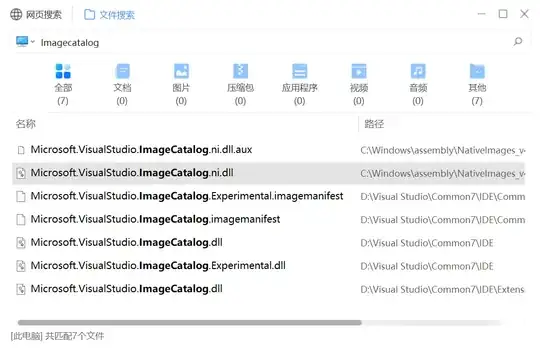
I have no idea where this file came from. Although it hardly has any effect on my computer, I want to remove it anyway.
The operating system of my computer is Windows. If anyone can figure out how to solve this problem, I'd be grateful!


C:\Users\YourUserName\Desktop? Ensure you can see hidden and system files in Explorer Options, View tab. – harrymc Mar 18 '24 at 09:35C:\Users\Public\Desktopand if it is located there, then delete it. If you delete and it can still be viewed, give it a reboot, see if that clears it assuming it's in the Windows public desktop folder which would show on your desktop. – Vomit IT - Chunky Mess Style Mar 18 '24 at 10:31