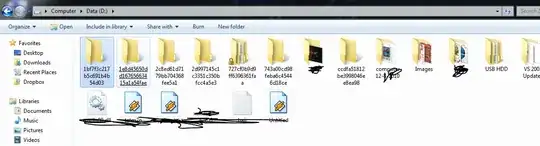
That folders are leftovers of the installation of MS products, usually Windows updates. They are the temporal folders used by the installer.
Warning: There is a small possibility that deleting that folders could break something in Windows.
Usually they can be deleted without problems from Windows Explorer, but from time to time it seems that something fails in the installation and Windows keeps a reference to the temporal folder. The most extreme case I have seen was in my girlfriend computer when Windows (XP) was loading a driver from the temporal folder itself instead of from the system folder (so I couldn't get rid of it).
If you are decided to delete that folders, you can use use Process Explorer to find what references are hold to the folders and remove them:
- Go to
Find > Find handle or DLL and type the name of one of those folders, it would list the process that are using it (technically that have an open handle on them).
- Double click in the first result, it would highlight the reference (open handle) in the main window.
- Right click and select
Close handle.
- Repeat the process if there are more references to the folder.
After this you should be able to delete that folder.