The TweakUI powertoy for Windows XP had an option to auto-login. It stored your password and did the login for you. This was useful, since you kept password protection, but had login programs loaded when you first booted.
When you switched users or hibernated, it would still ask for a password, which is the desired behavior.
Is there a way of doing this in Windows 7?


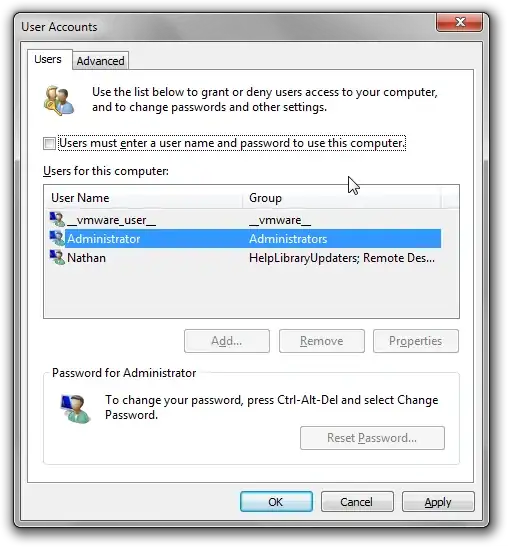


rundll32.exe user32.dll, LockWorkStationto your Startup folder. No need to install third party programs. – nhinkle Feb 09 '11 at 20:58Users must enter a user name and password to use this computer, you are allowed to select the user which you want to be the default account, once you have selected the user and you enableUsers must enter a user name and password to use this computerand hit apply the prompt is displayed. There are numerous other questions with slightly incomplete answers, this answer does work for ALL accounts, even those without a password. – Ramhound Apr 25 '16 at 17:30