2

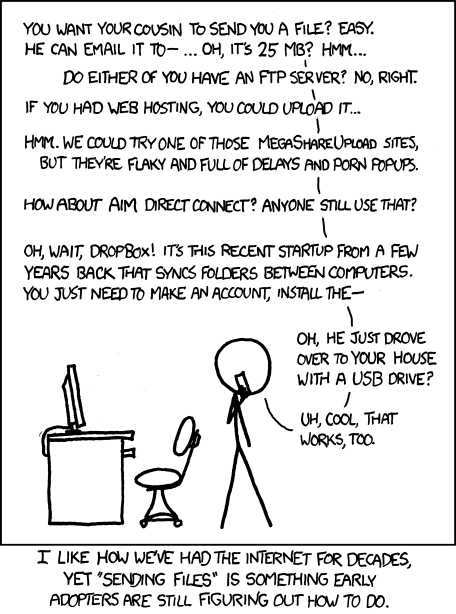
I saw this xkcd comic and was horrified that he is actually right:

xkcd comic

So, is there an EASY program to share files directly over IP? In the spirit of:

  • open it
  • it displays your current IP
  • tell it to the one who wants to send you a file
  • he types it into an obious field in his program, clicks ok
  • a direct (p2p) connection is established
  • the sender drags a file on the program and download is started
  • possibility of pausing and resuming

And no, I'm not looking for BitTorrent here. This is way to complicated already.

Profpatsch
  • 427
  • 4
  • 13
  • BitTorrent is not that complicated -- install μTorrent, drop your files into the "Drop to share" box, email the short URL. Chances of the recipient not having a BitTorrent client are small, and it's much simpler than direct IP transfers where you actually have to type cryptic IP addresses and TCP ports. (And if you do away with TCP and transfer directly over IP, congrats, you now have to reinvent a whole protocol of flow control and retransmitting lost packets.) – u1686_grawity May 17 '12 at 10:39
  • @grawity I know that BitTorrent is not that complicated. But way to complicated for a person that isn't as good with PCs. Look at the answer I marked as solution. That's what I call a self-explanatory program. (Except it would be better if it displayed the current IP-adress). – Profpatsch May 17 '12 at 13:10
  • I've used SSFT, and I'd say that "Enter IP address:" is hardly self-explanatory from an average human's perspective, especially when compared to "Tell your friend to open http://blah/blah in a browser" as shown by uTorrent. Everyone knows http://, but what the hell is an IP address? (Especially because it cannot display the current IP address, as often there is no "the" IP address: most PCs behind a NAT have at least two.) – u1686_grawity May 17 '12 at 13:27

4 Answers4

3

The main problem is that most people are behind NAT routers, which make it difficult to initiate an inbound connection. Quite a lot of ISPs don't allow inbound connections; it's a common restriction on mobile devices.

There is also the issue that, for most people, this would be a malware vector quite quickly.

Transfer via chat programs or small intermediaries might be the best way: Best way to send large files point-to-point?

pjc50
  • 6,071
2

While it does not exactly allow the way you described, I like HFS - HTTP File Server (for Windows, also works in Wine) for exchanging files. Big pro is that only one side needs the server, the other one can use any web browser.

Gurken Papst
  • 4,202
  • You know, that's exactly the thing I do not want. Why would you need a server to transfer files? It just doesn't make sense... – Profpatsch May 17 '12 at 10:36
  • @Profpatsch: Because that's how the internet works: clients connect to servers. Whether it is HTTP or "plain IP" as in your original description, your computer would still be running a server which waits for connections from a client. – u1686_grawity May 17 '12 at 10:43
  • 2
    You need some software anyway, so where is the problem this one has "server" in it's name? The software you described would also have a server component (accepting inbound connections) and would require both sides to use it. So you could also ask why both sides would have to use this software. IMHO this does not make sense. – Gurken Papst May 17 '12 at 10:44
  • I was put off by the "server" and thought you'd need webspace for it. Now I see that's not true. – Profpatsch May 17 '12 at 11:20
2

We've used Simple Socket File Transfer in LAN parties, it's pretty handy and straightforward.

0

FileBeamer does exactly what you describe, and is made to work on Internet rather than LAN (but I guess it should work on LANs too).

The only prerequisites are:

  • Each computers must have a public ip address.
  • At least one computer must have port forwarding for the port required by FileBeamer (it doesn't matter if it's the sender or receiver because FileBeamer supports "reverse connection").

If you don't want to need port forwarding, then you must use a third-party computer that will act as a proxy server, forwarding the packets to both of your computers.

gaborous
  • 2,013