At random Explorer will launch a thread which eats 50% of CPU.
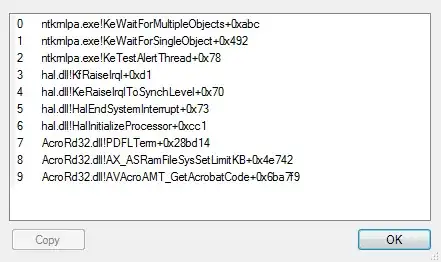
I've captured this stacktrace:
Why is Acrobat PDF Reader reading my documents in the background? It seems like Explorer is scanning my documents?
Have you experienced such behaviour?
At random Explorer will launch a thread which eats 50% of CPU.
I've captured this stacktrace:
Why is Acrobat PDF Reader reading my documents in the background? It seems like Explorer is scanning my documents?
Have you experienced such behaviour?
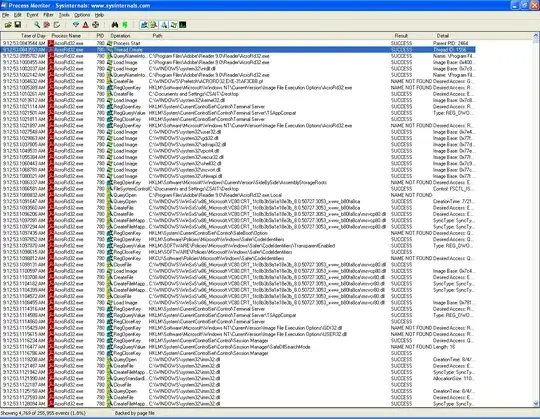
With PDFLTerm in the stack trace, I'm guessing you closed (terminated) a PDF opened in Acrobat. You can pinpoint exactly what Acrobat is doing when a thread is spawned using Process Monitor from Sysinternals. When you see CPU usage spike, check the time and go to your Process Explorer window. Make sure AcroRd32.exe is the filter so you don't see all the other system activity. Look for the last "ThreadCreate" in the Operation field and you can see exactly what happened following the threads creation (what files were opened, what registry values were written, etc...)

I work in a company that uses Adobe Reader a lot, and this is a common occurrence if Adobe isn't closed properly, this leaves it running in the background

Acrobat Reader is left opened in background, if it is used to display PDF in browser, as explained on this link : http://www.allscoop.com/tools/acrord32-exe/
However, I don't know why it would require a full CPU activity.

