9

So in using Windows 8, I've discovered that the administrative shares are disabled. There seems to be no easy way to get them re-enabled.

Is anyone aware of a work around, or solution?

I did not have this issue with Windows 7 After disabling UAC. However in Windows 8 this still doesn't work.

This is all I could find, however I am not satisfied with the information provided.

http://www.computerperformance.co.uk/win8/windows8-administrative-shares.htm

http://www.tomsitpro.com/articles/windows_8-file_sharing-windows_administrative_shares,2-195.html

HackToHell
  • 6,368
Brado
  • 101

2 Answers2

11

Note: If the computer is part of a domain, this does not apply as the admin shares are automatically enabled upon joining.

To enable the admin shares for computers in a HomeGroup or Workgroup, you must first ensure that File and Printer Sharing is enabled:

  • In the Desktop, right-click the Network icon in the system tray and click Open Network and Sharing Center:

    Network and Sharing Center Access

  • Click Change advanced sharing settings in the left hand menu:
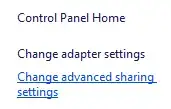
    enter image description here

  • Under the current profile, find the File and printer sharing section, and click Turn on file and printer sharing:

    enter image description here

  • Click Save Changes and confirm the change if prompted.

Warning - the next section involves changing the Registry. Be extremely careful as incorrect editing can result in a non-functioning system or other problems!

  • Press Windows+R and type regedit followed by Enter. Click Yes to confirm starting it as an Administrator if prompted.

  • On the left hand side expand the tree along the following path:

    HKEY_LOCAL_MACHINE\Software\Microsoft\Windows\CurrentVersion\Policies\System

  • Select the System folder and in the right hand pane, right click, click New then DWORD (32-bit) Value.

  • Set the name to LocalAccountTokenFilterPolicy then press Enter. Double-click the new entry and set the value to 1.

    LocalAccountTokenFilterPolicy Setting

  • Exit the registry editor and restart the computer.

Graham Wager
  • 11,817
-2

Your first link there has the best solution IMO. Edit the registry and add the right.

http://www.computerperformance.co.uk/win8/windows8-administrative-shares.htm

  • Although this may answer the question, you should give a more detailed description of the linked content and explain how it relates to the question. This will help ensure that this answer remains useful in the event the linked page is removed or goes offline. For more information, see this Meta Stack Exchange post. – bwDraco Jul 16 '15 at 01:51