You can wake up computers with Intel's AMT Power On (vPro) or AMD's DASH, even with quickboot enabled. Just setting an admin password on a DASH enabled Broadcom card overrides Microsoft's command to turn off the NIC and traditional WOL starts to work again.
Intel's AMT will keep the NIC on if you set a password, but it didn't allow traditional WOL commands in our testing. There are command line tools to wake a computer by AMT if you know its AMT password/IP address.
- Intel AMT
- Power on the vPro computer
- Press Ctrl+P before Windows starts to load
- Initial Admin password is "admin"
- Change the password to something else
Download the Intel AMT Development Kit
Use the remotecontrol.exe tool to wake computers.
RemoteControl.exe -changepower on -host 192.168.1.5 -user admin -pass AMTpass
You can reset the password by unconfiguring the card in the main computer BIOS.
AMD DASH
Run the setup.exe that is contained in the driver download package for your computer's NIC (hopefully Broadcom). This will install the Broadcom Advanced Control Suite (BACS). This is required for other command line tools to configure the DASH chip.
Download the full Broadcom driver pack with utilities such as this one from HP. It will contain the BMCC.exe utility for configuring the default password.
http://h20564.www2.hp.com/hpsc/swd/public/detail?sp4ts.oid=7150467&swItemId=vc_147511_1&swEnvOid=4158
BMCC.exe editu (user accounts)2 (accounts)2. administrator account2 (enable account)4. try to change the password; doesn't work for me.0,0,0,q (quit and save)- Access http://computername:623
- Logon as "Administrator" with no password (capital "A" required)
- Change the password there.
You can export the account change and import it using BMCC.exe as well. This assumes that the administrator account is the second entry of the 10 in the list.
BMCC export=c:\dash.txt -record:40:2
BMCC import=c:\dash.txt -record:40:2
To reset the password for a DASH client you have to reapply the firmware update. This command came from the HP firmware update download for the Broadcom NIC. The ORY file is the firmware.
WinFWUpg.exe restorenvram update\KC381FAC.ORY idmatch config


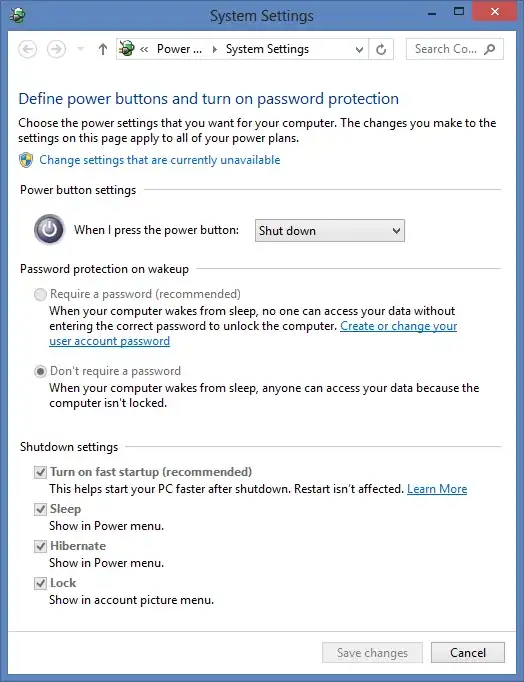
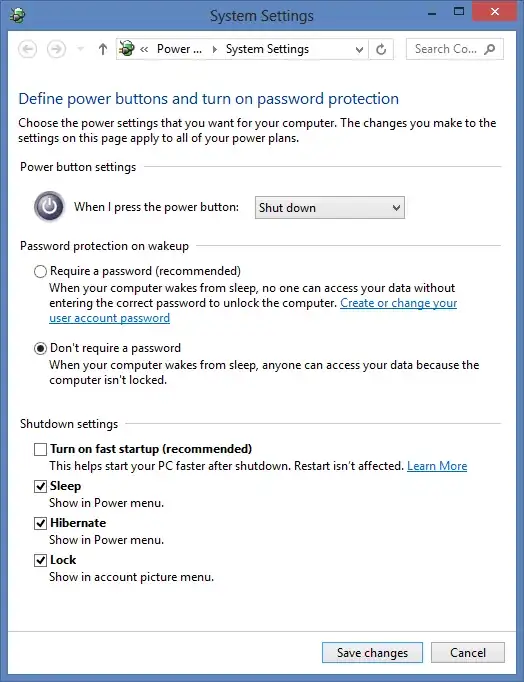


shutdown.exe /p /fcommand (/sbased command lines would work too, if you are curious - read the help and use options of your like) - and WOL will work. I can speculate, that the command line uses Windows Scheduler to shutdown the computer, or something else, which keeps ACPI power events enabled. Mere speculation though, i have no rational explanation. – Arioch 'The Mar 27 '20 at 10:42