My music folder is a mess with some files being protected by DRM and others not. Is there a way to automatically separate all files within the subfolders of my music folder based on file extension? I can do this by hand but I'd rather not.
Asked
Active
Viewed 2,108 times
0


-
1Perhaps you can use Robocopy as suggested in a similar question. This should retain the folder structure while picking out the DRM protected files. I believe the DRM files are usually m4p and aac file types. – Joel Kennedy Jan 08 '13 at 19:45
2 Answers
1
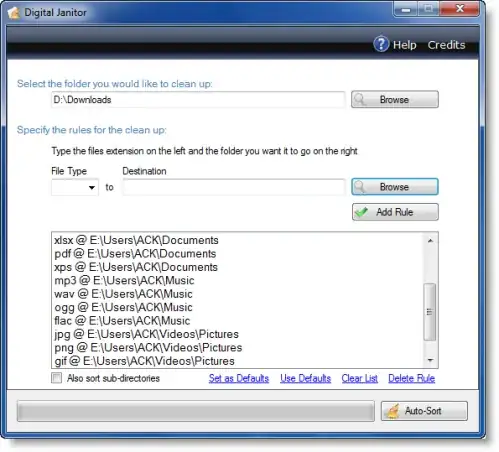
Check out Digital Janitor
Digital Janitor is an application specialized in sorting files. To use it, you have to insert the rules on which the sort will be performed and press a button. Within seconds the folder that you wanted to sort is clean, and all the files are in the right place.

Kruug
- 5,230
0
Check out Sort My Files
Sort My Files is small and easy to use tool to automatically sort your files into folders based on their file type. The program scans the files in a selected folder and moves them into sub-folders based on their file extension.
Sort My Files can automatically identify various types of music files, photos, videos, documents, programs and compressed archives.
If there are file types that it does not recognize, it moves the files into a folder called Other Files. You can choose which types of files you want to process and also set your own destination folders if you don`t want to use the default folders.

KakashiSan
- 89