I have a similar issue as this user. You can pretty much take his screen shot and apply it to my issue: Windows 8.1, 99% disk usage or in that vicinity for a longer period of time (minutes). Yet the individual disk usage stats don't add up to more than roughly 1MB/Sec. I have an SSD disk capable of much higher throughput.
The question I linked to doesn't provide much answer, but one comment hints to low free disk space. That is an issue with my disk. I have only ~1GB left of free space on my C drive. But my follow-up question is why would that matter? Windows does pre-allocate 6GB of virtual drive, doesn't it? At least that's how I interpret "currently allocated" in the Virtual Memory settings screen under System Properties → Performance options.
I've tried to use the process monitor tool to gain some information on what's using the disk, but the amount of data logged in just a couple of seconds is so vast that I don't know where to start. The only thing I see is that service.exe accesses the registry a lot... But I guess that's normal? If anyone care to take a look, the log dump is here (19MB)
To summarize:
- Does the disk usage really go up when free space declines? If so, why?
- Can anyone deduct from my Procmon log file what program or process causes 99% disk usage?
edit: To comment on the "malware"-answer in the other post: I'd like to know, not guess. I doubt it is malware in my case, but if it is, my logs should show that.
update: Similar case just happened. Any clues from these two ResMon screenshots?

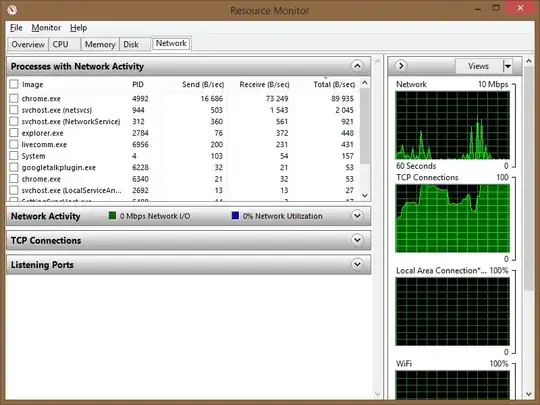
"System" doesn't really tell me much.


resmon.exe, hit enter). Open it, go toDisktab and tell us which process(es) have higher disk usage when it happens. Or better, upload ascreenshot. – Jet Apr 29 '14 at 16:04resmon, andperfmonwas a tool I'd forgotten about. Naturally the problem has magically gone away now, but I'll keep these tools in mind the next time it happens (and it will). My money is on Windows Update right now, as my Windows now suddenly has an "Important update available" notification on the lock screen. – Nilzor Apr 30 '14 at 11:37