0

Today when i format my usb hard disk ,the power is off ,when power is on again ,i reboot my pc ,something wrong with my usb hard disk.
The usb hard disk can be seen in Device Manager ,but can not be read by disk manager, what is matter with my usb hard disk?

enter image description here

enter image description here

showkey
  • 149

1 Answers1

0

Your HDD probably got corrupt while you were formatting it. Format it again.
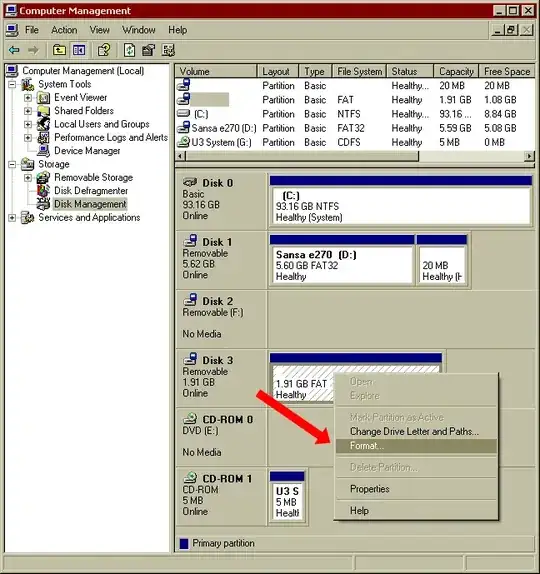
You can do that using Disk Management (Win+R → "diskmgmt.msc" → OK)

Select your USB hard drive from the list and right click on it and choose "Format". Select a filesystem and follow on-screen instructions.

Format disk

Vinayak
  • 10,745
  • my usb hard disk can not be read by diskmgmt.msc ! – showkey May 31 '14 at 11:26
  • what is the capacity of your USB HDD? – Vinayak May 31 '14 at 11:41
  • my usb HDD is so large as to 160GB . – showkey May 31 '14 at 11:46
  • try this:

    Right click "My Computer" Click "Manage" Select "Disk Management" Right click "Disk Management" and select "Rescan Disks" Find your drive in the list in the bottom pane Right click it and select "Initialize" Add a partition

    – Vinayak May 31 '14 at 11:52
  • If that doesn't work, right click on your HDD in Device Manager, select "Uninstall". Remove the HDD. Connect it to another USB port on your computer and see if that helps. – Vinayak May 31 '14 at 11:58