I recently downloaded AVG PC Tuner, and performed a disk check on my 1 TB external drive. When it completed, it found no issues. However, my hard drive is now almost full when I had about 200‑300 gigabytes free before.
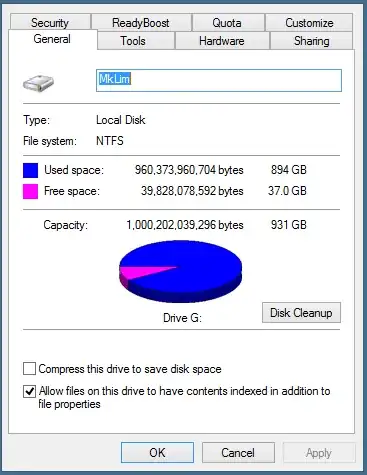
I tried running "Disk Cleanup", but it showed nothing to delete.
I then downloaded and ran WinDirStat to try and see what's using up the space, but it says I have used only 607 GB: (click for full size)

Can anyone help me reclaim my lost storage space?


https://www.dropbox.com/s/swrtrjanw430zo7/1Capture.PNG?dl=0 https://www.dropbox.com/s/3p3poxj628jflum/2Capture.PNG?dl=0
– user3505324 Sep 05 '14 at 16:22Under Disk Management, give us a screen shot of your G: drive.
Unless the tool resized your partition to something smaller and then unexpectedly stopped, I don't see how the drive size capacity could change. Maybe you have 300GB of unpartitioned disk space on the 1TB drive.
– Sun Sep 13 '14 at 00:29