I am trying to create a partition to store my OneDrive files so it can be accessed on both my Windows 8.1 and Ubuntu installations.
The shared partition is formatted with NTFS and I am currently mounting it to C:\Users\James\OneDrive. To do so I had to firstly stop the OneDrive process (skydrive.exe), permanently delete the old OneDrive folder (at C:\Users\James\OneDrive), re-create the OneDrive folder and finally mount the partition through Disk Management. However, when I start OneDrive again it stays open for a bit while the tool tip says Getting your file list, finds 7 (and always 7) files (I have way more than that), then crashes.
So my question is, is there anyway to use OneDrive on a Mounted Volume without it crashing?
I think this issue might have something to do with Mounted Volumes not being indexed in Windows: support.microsoft.com/kb/260207. So, could there be any validity to manually editing the registry as suggested here?
Thanks!
Other Stuff:
OneDrive Properties:

OneDrive Sync Progress on crash:
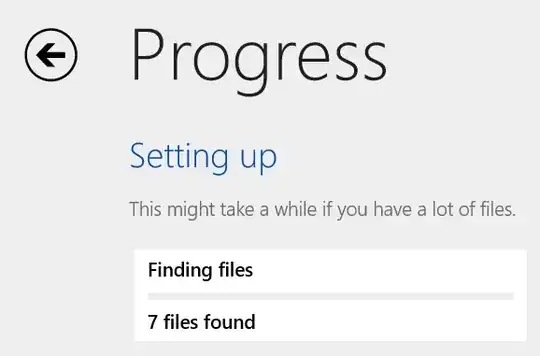
OneDrive log: https://onedrive.live.com/redir?resid=C604C49A28DD31D!52486&authkey=!ANodbITl3MIcWpo&ithint=file%2ctxt.


C:\OneDriveDatathen mounted the shared partition in there. I then stopped the OneDrive process, deletedC:\Users\James\OneDriveand then ranmklink /J "C:\Users\James\OneDrive" "C:\OneDriveData"in an elevated command prompt. Upon starting OneDrive again it found all my files (more than 7!), then crashed. Every subsequent time I restart OneDrive after the initial run reverts to finding only 7 files. Logs: https://onedrive.live.com/redir?resid=C604C49A28DD31D!52487&authkey=!AIGr1eTL91LPnXU&ithint=file%2ctxt. – JamesStewy Dec 27 '14 at 10:37C:\Users\James\OneDrive) already exists:Cannot create a file when that file already exists. So instead I had to delete the folder then create the link. After creating the link the permissions where the same as the folder created by the OneDrive process. No change though. – JamesStewy Dec 27 '14 at 11:06