After extensive google-fu I still can't get this working...
I'm trying to do it on an ASP.NET Empty Web Site...
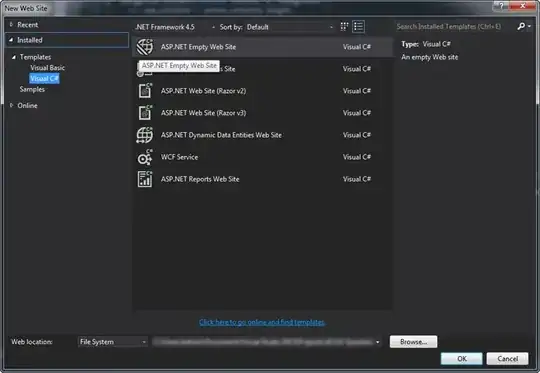
Running VS 2013 as administrator, updated web.config file,
<?xml version="1.0"?>

<!--
  For more information on how to configure your ASP.NET application, please visit
  http://go.microsoft.com/fwlink/?LinkId=169433
  -->

<configuration>

    <system.web>
      <compilation debug="true" targetFramework="4.5" />
      <httpRuntime targetFramework="4.5" />
    </system.web>

    <system.webServer>

      <staticContent>
        <mimeMap fileExtension=".json" mimeType="application/json" />
      </staticContent>

      <!-- Enable BrowserLink -->
      <modules runAllManagedModulesForAllRequests="true" />

      <handlers>
        <!--<remove name="BlockViewHandler"/>
        <add name="BlockViewHandler" path="*" verb="*" preCondition="integratedMode" type="System.Web.HttpNotFoundHandler" />-->

        <add name="Browser Link for HTML" path="*.html" verb="*"
             type="System.Web.StaticFileHandler, System.Web, Version=4.0.0.0, Culture=neutral, PublicKeyToken=b03f5f7f11d50a3a"
             resourceType="File" preCondition="integratedMode" />
      </handlers>

    </system.webServer>

    <appSettings>
      <add key="vs:EnableBrowserLink" value="true"/>
    </appSettings>

</configuration>
browse with,
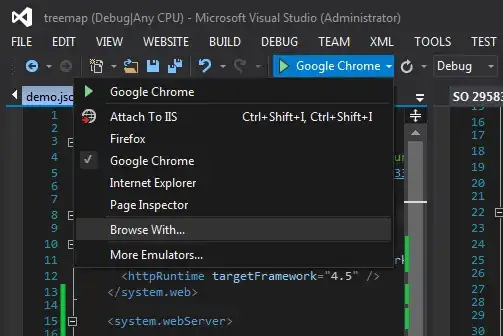
select multiple browsers click browse.

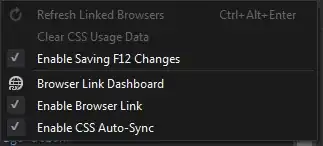
The browsers open and the page runs ok on all, but refresh linked browsers is disabled,
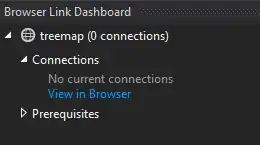
browser link dashboard shows no connections...
How do I make this work?
EDIT: I found a solution as per my answer below but, if anyone can help me to understand whats going on, or direct me to a good knowledge source, that would be great.

