As a follow up question to How to make a 3 column chart with dividers using openoffice , I created a table which looks like:

Is it possible to make horizontal lines invisible, to give the effect of just 3 columns?
As a follow up question to How to make a 3 column chart with dividers using openoffice , I created a table which looks like:
Is it possible to make horizontal lines invisible, to give the effect of just 3 columns?

Select the cells/rows whose borders you want to modify.
From the main menu, select Table > Table Properties to open the Table Format dialog box:
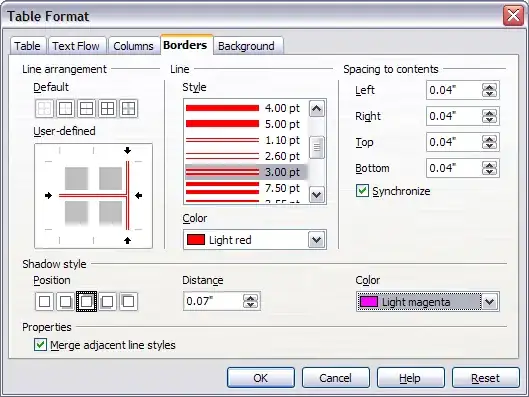
On the Borders tab you can click in the User-defined area and remove the borders you don't want.

