4

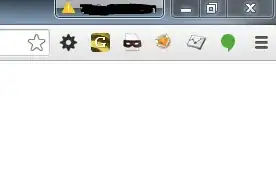
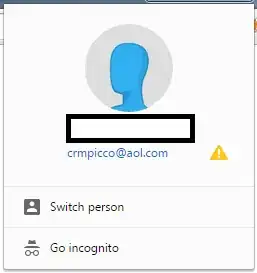
I have logged into my Google Account in Chrome, however I cannot seem to get rid of the annoying yellow warning triangle seen in the screenshots below.

How can I get rid of that?
enter image description here enter image description here

crmpicco
  • 315
  • If you hover over the warning icon. What does the tooltip say its a warning of exactly? There a reason you modified the other image to protect your privacy but choose to display your email for all to see? – Ramhound May 08 '15 at 14:29
  • Firstly I would really recommend taking your Email address out of both the question and the screenshots. In regards to the triangle I had it the other day and simply clicked on the top one (right hand screenshot) and re-authenticated which fixed the issue and the triangle vanished, still not sure what the problem was though! – CharlesH May 08 '15 at 14:32
  • @Ramhound There is no tooltip on the warning triangle unofrtunately. The blocked out image contains my name. – crmpicco May 08 '15 at 14:35
  • @CharlesH No need to take my email out of the SS. I have tried to re-authenticate multiple times but it has no effect. – crmpicco May 08 '15 at 14:36
  • @crmpicco do you have multiple accounts (Switch person)? – CharlesH May 08 '15 at 14:38
  • @CharlesH I only had one account/person, but I can login with a gmail account and it works fine. Is there a problem logging in with a non-gmail account (i.e. my AOL Google account)? – crmpicco May 08 '15 at 14:41
  • @crmpicco - You should have mentioned that. The warning likely as something to do with Google Account. If you are not logging into an actual Google Account, although, I say this and begin to wonder what your logging into if thats the case. – Ramhound May 08 '15 at 15:16
  • @Ramhound I am logging into a Google account. – crmpicco May 12 '15 at 08:18

5 Answers5

3

The yellow warning triangle indicates an error syncing your Google account with Chrome. Before Chrome introduced the new profile menu this was indicated by the Chrome menu button changing to orange. As exampled in a separate post https://superuser.com/a/866980/226999, the indicator was integrated into the new profile menu.

A common reason for this error is due to changing your Google password and can be fixed by clicking the warning icon and signing into Chrome again. More steps to fix this are on the Chrome help page "Troubleshooting sync issues."

Curran
  • 953
0

There must have been a password change or update... sign-out and sign back in..problem solved. As long as you are signing in with what the computer says is your new password....if not, you have a BIGGER problem then a little yellow triangle on your hands..

Shawn
  • 1
0

THE SOLUTION FOR THE ORANGE HAZARD SIGN NEXT TO YOUR GOGGLE ACCOUNT

  1. click the hazard sign
  2. just follow the instructions
  3. you'll find a phrase "... a CHANGE..."
  4. CLICK next
  5. Sign in
  6. that hazard sign (icon) will be gone
fixer1234
  • 27,486
Jake
  • 1
0

The authentication seems a bit flakey, but I hit Disconnect your Google Account a few times, logged in, logged out and back in and that seemed to remove the warning icon. Hope this helps someone.

crmpicco
  • 315
0

The first step is to open the Google Chrome TaskManager. Then end any extensions running (memory was at 2 million plus usage just from extensions...very strange) which should allow you to then sign back in your account.