Questions tagged [microsoft-excel]

A spreadsheet application by Microsoft. Use this tag along with [vba] if your question involves programming Excel in VBA, and with [worksheet-function] if it involves an Excel formula or worksheet function. Also add the the specific version tag (e.g. [microsoft-excel-2019] or [microsoft-excel-365]) as features and functions may vary between them.

Microsoft Excel is a spreadsheet application written and distributed by Microsoft for Microsoft Windows and macOS. It features calculation, graphing tools, pivot tables and a macro programming language called VBA (Visual Basic for Applications).
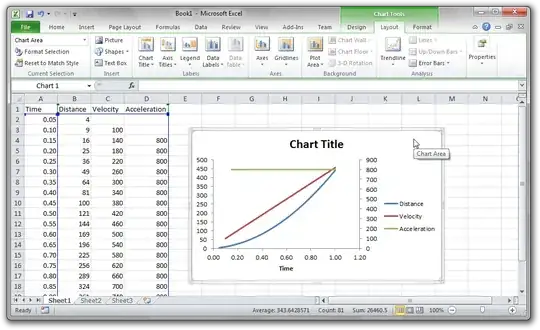
Microsoft Excel 2010

Features and usage

The latest version is Excel 2021 for Windows and macOS. Features include calculation, graphing tools, pivot tables and a macro programming language called VBA (Visual Basic for Applications). A new user-interface design, dubbed the "ribbon", was introduced with Excel 2007 for Windows. A similar UI was introduced to Excel 2011 for OS X.

Excel is the among most widely used spreadsheet programs, especially in business environments. The first version was introduced in 1993, and new versions have been released every 2–3 years since then.

Recent versions

Subscription based license/version

Windows (stand-alone license/version)

Mac (stand-alone license/version)

Other tags

More specific tags include for scripting, for formulas and for pivot tables.

More information

Samples and Tips

25901 questions
346
votes
7 answers

How do I get the distinct/unique values in a column in Excel?

If I have a column with values, and I want to find out what distinct values are in there (not how many - but the actual distinct values), how can I do that? In SQL Server I would do something like SELECT Distinct(MyColumn) FROM MyTable
Kjensen
  • 6,644
220
votes
10 answers

How can I "group by" and sum a column in excel?

I'm trying to figure out how to "group by" values in an Excel spreadsheet. Given the following example (this is an inventory sheet I use at my restaurant:) At the far right of the spreadsheet there is a column named Cost of Goods Sold. I would like…
Ian P
  • 2,303
176
votes
10 answers

How to easily reorder rows in excel with drag and drop or move-up or move-down?

I have to do some manual reordering or rows in Excel and cut/paste is too hard to use. I'm looking for something that would enable me to use drag'n'drop or to add some buttons to move-up/down move-top/bottom.
sorin
  • 11,840
174
votes
14 answers

Convert a column into a comma separated list

I have the task of creating a simple Excel sheet that takes an unspecified number of rows in Column A like this: 1234 123461 123151 11321 And make them into a comma-separated list in another cell that the user can easily copy and paste into another…
muncherelli
  • 2,495
143
votes
10 answers

How do I join two worksheets in Excel as I would in SQL?

I have two worksheets in two different Excel files. They both contain a list of names, id numbers, and associated data. One is a master list that includes general demographic fields, and the other is a list that only includes name and id, and an…
Joel Coehoorn
  • 28,180
137
votes
6 answers

How do I expand all columns in Excel spreadsheet?

I have a spreadsheet with many columns. The columns are all a small standard width. Double-clicking the partition line between columns will expand the column width to encompass the longest string in that column. Is there a shortcut to perform this…
MattUebel
  • 1,753
110
votes
15 answers

Open Excel files in new window

When I have Excel running and I double click an Excel file in Windows explorer, I'd like it to launch in a new window by default so that I can move documents to separate monitors. Is there any way to get this behavior?
JC.
  • 1,261
95
votes
3 answers

Go to specific row number in excel

Is there a way in Excel to go to a specific row number? For example I need to find an alternate way to not have to scroll but rather can immediately go to row # 3000
Shades
  • 1,195
86
votes
8 answers

How do you view the bottom of really tall cells in Excel?

When there are very tall cells in Microsoft Excel, trying to scroll via mouse or even via scrollbar (clicking on "<-" "->" pointers) just jumps below to the next cell, hiding the bottom content of the large cell in question. Is there an option to…
zmische
  • 963
81
votes
7 answers

How do you auto resize cells in Excel?

I have copied some data into Excel 2010. I have found that some of the cells need to be widened to allow the data to fit. How do I automatically adjust the height of the cells to fit the content?
Dunc
  • 2,370
  • 3
  • 16
  • 11
76
votes
7 answers

How to delete rows not in filter

I have a very large table in Excel (1000's of rows) and I filter it to only show 10 rows. I wonder if there is a way to delete the rows not shown (i.e. don't meet filter conditions)? This would enable me to reduce the file size before I send…
GreyCloud
  • 1,306
  • 4
  • 13
  • 18
62
votes
10 answers

How to stop Excel following hyperlinks when I click on them?

In Word I can use Ctrl+Click on the rare occasion that I want to follow a link rather than, you know, do the editing that Word is actually for. Is there some way to get similar behaviour in Excel 2010, 2003, 2013? I am sick of accidentally…
dunxd
  • 1,144
62
votes
5 answers

How to split a string based on ":" in MS-Excel?

My excel column is filled with words like this: 1.) ABC:DCF 2.) DCF:FED I want to split each word based on " : " and put the result in adjacent columns such that "ABC:DCF" in cell "A:1" becomes "ABC" in cell "B:1" and "DCF" in cell "C:1" and also…
user1518659
54
votes
7 answers

Swap cell contents in Excel?

Is there an easy way to swap the contents of two cells in Microsoft Excel? By easy, I mean either a keyboard shortcut or menu item, without involving copying to temporary cells or writing VBA scripts or anything like that. In other words, I'm…
51
votes
13 answers

When does Excel decide to overflow text into adjacent cells, or cut them at the boundary?

In Excel 2010, or any other version probably, if I enter in a cell a long single-line text that is longer than the width of the cell, Excel sometimes render the text across the next adjacent cells; some other times, it gets cut off at the boundary…
Jake
  • 2,069
1
2 3
99 100