89

I'm trying to use the svg package for inserting svg images in my latex file, as suggested in other questions. But now I ran into a problem:

For example I have a image figure1.svg, if I write

\includesvg{figure1}

it will give an error says

ERROR: LaTeX Error: File `figure1.pdf_tex' not found.

But if I write

\includesvg{figure1.svg}

it will give another error says

ERROR: LaTeX Error: Unknown graphics extension: .svg.

How can I fix this problem? I'll prefer not having to convert all my svg files to pdf_tex files with some external program.


Update

My LaTeX environment is latest the TeXLive 2013 on Windows 7. A MWE code would be

\documentclass{article}
\usepackage{svg}

\begin{document}

\begin{figure}[htbp]
  \centering
  \includesvg{figure1.svg}
  \caption{svg image}
\end{figure}

\end{document}
LWZ
  • 2,972
  • 1
    I just tried it using a simple SVG. I had all prerequisites: adding the --shell-escape option to pdflatex and installing ImageMagick. To me it seems as if the package is a bit buggy. – Uwe Ziegenhagen Jul 07 '13 at 06:40
  • 2
    I spite of your last sentence, I suggest change all \includesvg{..} by \includegraphics{...} without any extension and (1) import the latex document with Lyx to allow an automatic conversion with rsvg-convert or (2) work directly with pdf files that still can be edited with Inkscape. For many files is less painfull the command line (inkscape -f file.svg -A file.pdf). – Fran Jul 07 '13 at 10:11
  • 1
    Had this same error using XeLaTeX with Texmaker on GNU/Linux where \includesvg{image} or \includesvg{image.svg} just wouldn't work. Had to do \includegraphics{image} and then it magically started working. – ZN13 May 23 '17 at 10:30
  • Convert to PNG. Then, \includegraphics{}. You're welcome. – hola Jun 03 '17 at 10:42
  • 1
    @pushpen.paul I'd rather convert it to a pdf to keep the vector graphics. – andreee Jan 10 '19 at 15:31

4 Answers4

81

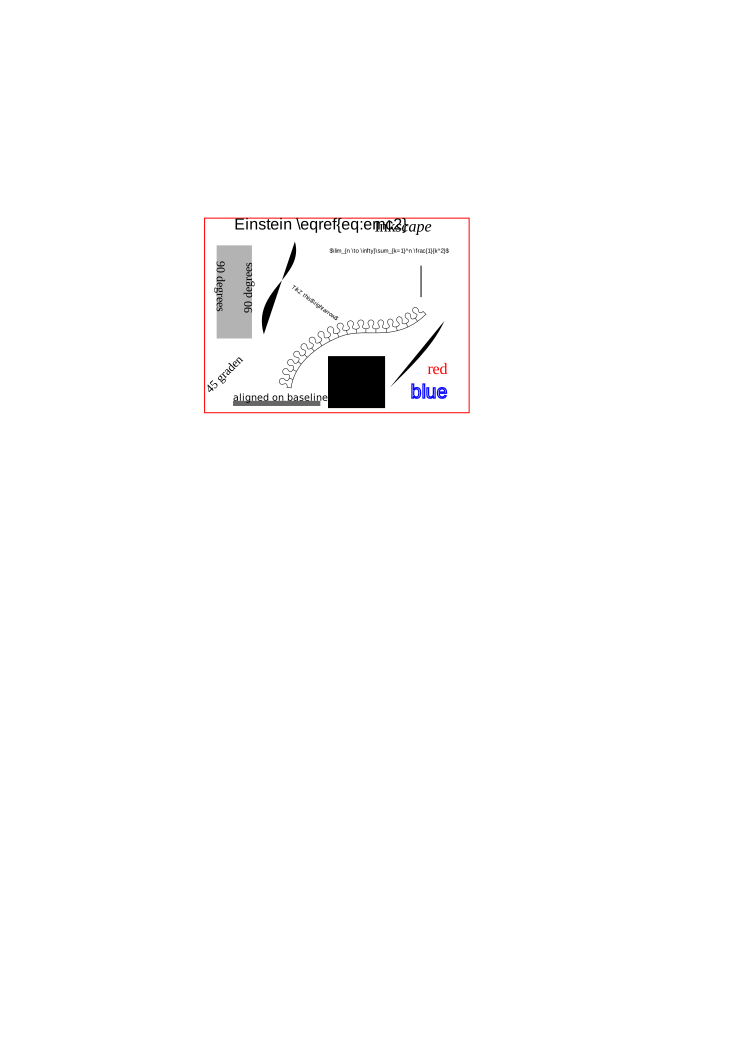
The problem is that you have given a file extension: you should not do this (indeed this seems clear in the svg manual. For me, the short demo

\documentclass{article}
\usepackage{svg}
\usepackage{amsmath} % you need amsmath as the demo includes a use of \eqref
\begin{document}

\begin{figure}[htbp] \centering \includesvg{image} \caption{svg image} \end{figure}

\end{document}

using the demonstration file used by the package works fine.

Note that for this to work:

  • You need Inkscape on your path (why?) (schtandard pointed to this step-by-step of the setup)
  • You need to compile your .tex file to PDF with the --shell-escape option enabled
Cadoiz
  • 213
Joseph Wright
  • 259,911
  • 34
  • 706
  • 1,036
  • 2
    Getting this to work on Windows is OK, but on my Mac seems tricky. That's likely an Inkscape/Mac issue, so not relevant here! – Joseph Wright Aug 24 '13 at 06:56
  • 4
    Calling svg as \usepackage[inkscape={/Applications/Inkscape.app/Contents/Resources/bin/inkscape -z -C}]{svg} seems to solve the issue on Mac OS X (assuming Inkscape has been installed with the .dmg file. – egreg Aug 24 '13 at 10:54
  • @egreg I'd tried that and also adding Inkscape to /etc/paths: in both cases I get some errors at the Inkscape end, presumably due to which support items I have set up (and which it expects to be present). – Joseph Wright Aug 24 '13 at 15:13
  • I'll probably remove the version I installed with the .dmg and try with the one provided by Homebrew, which should work out of the box with svg. – egreg Aug 24 '13 at 15:25
  • 1
    Somehow it does not work for me, when I remove the .svg extension, I got the error File not found. – LWZ Aug 24 '13 at 15:59
  • @LWZ Did you install Inkscape and add it to your path? If so, does inkscape work at the Command Prompt? Do you get any other errors in the log? – Joseph Wright Aug 24 '13 at 16:00
  • @JosephWright Sorry! Did not see the last sentence in your answer! No I do not have inkscape in my path. I thought inkscape is just a program to generate svg files externally. – LWZ Aug 24 '13 at 16:28
  • 1
    @LWZ No, what actually happens is that the svg package uses Inkscape to convert to PDF on-the-fly. You have to have Inkscape available for this to work. – Joseph Wright Aug 24 '13 at 16:34
  • 1
    I had problems when the image was located in different folder e.g. ../images/image2. The pdfs are created on the fly in this directory, but then tex tries to include the pdfs from the previous directory. – sauerburger Jun 30 '15 at 18:15
  • Adding to this: I can get the MWE to work (from @Joseph Wright) to work when I'm using LateX to typeset, but when I switch to XeLaTeX it fails with the following: ./Untitled.tex:8: Undefined control sequence. @includesvg ...extracttrue \fi \ifnum \pdfstrcmp {\pdffilemoddate {\SVG@in@... l.8 \includesvg{image} – Pwdr Mar 05 '16 at 13:13
  • Do you have to include the extension .svg to the \includesvg command? – hola Jun 03 '17 at 10:54
  • Anyway making it work without Inkscape? – Royi Jun 09 '17 at 11:03
  • 2
    @JosephWright what is meant by this You need Inkscape on your path. Path that we give while installing inkspacke, should be of .tex file? – Infinity Dec 06 '17 at 11:56
  • @Infinity On the search path that your OS uses to find executables. – Joseph Wright Dec 06 '17 at 12:00
  • @JosephWright in system variables? – Infinity Dec 06 '17 at 12:12
  • 1
    @Infinity: In $PATH. – bos Mar 02 '19 at 18:21
  • This part doesn't really make sense: "The problem is that you have given a file extension:". How are you supposed to specify the image without a file extension? What if there are 2 images with the same basename but different extension...? – Raleigh L. Jun 26 '23 at 16:02
16

I had the same problem.

I found a simple way to deal with it.

  • Just open the svg file by Inkscape.

  • Save as the .pdf format

  • On the next pop up window:

    • Embed Fonts

    • Use exported object's size

    • Margin 0.1

  • click ok

Next the generated pdf file will be imported by latex easily as same as png or eps.


But some times inkscape does not read the svg file properly and some mistakes are occurred. In this case the solution which works for me is:

  • generate a pdf version of figure by your used designer software

  • include the pdf file in latex

  • use trim for cropping the figure in latex

for example:

\includegraphics[width=0.8\textwidth, trim={1cm 3cm 1cm 8cm},clip]{Fig.pdf}
Schweinebacke
  • 26,336
moha
  • 332
  • 8
    Welcome to TeX.SX! This is not really an answer as you do not include the svg (that's what's asked for). – TeXnician Oct 30 '17 at 07:51
  • 9
    @TeXnician You are very stringent. Generally I like this, but in this case … You are absolutely right: It's not an answer to the asked question but an alternative way to avoid the problem. – Schweinebacke Oct 30 '17 at 09:16
  • 1
    It's a relevant answer since using the svg package is using inkscape and will create a .pdf in the root directory anyway. BTW inkscape can do this in one command if someone wish to integrate it in a script or whatever – Welgriv Sep 23 '20 at 08:53
1

While this may not be a valuable option for some users, it may be worth it for some:

Online SVG to PDF converters.

Here you may find Google search results.

After this one may follow the usual strategies for embedding PDF files into LaTeX,
(as described for example in the answer above).

Hope this helps some users. ;)

0

I had the same issue and just wanted to share the trivial solution which worked for me. I am using overleaf by the way.

I had to remove one layer from my folder structure.


This did not work:

+-- data
|   +-- img
|       +-- file.svg
+--TeX
|  +-- Sections
|  |   +-- 01_Section.tex
|  +-- main.tex
|  +-- ...

Removing "TeX" layer solved the porblem:

+-- data
|   +-- img
|       +-- file.svg
+-- Sections
|   +-- 01_Section.tex
+-- main.tex
+-- ...
Jannik
  • 1
  • 1
    Welcome to TeX.SE! Can you explain, why the second folder structure works? – Mensch Nov 18 '21 at 16:36
  • I think, it's about forgetting "../" in the file path. With the first folder structure, it is ../data/img/file.svg, where as in the second, it is data/img/file.svg. – koppor Oct 25 '23 at 11:17